
The Tosca skill nobody teaches you: getting your syntax past the escaping layer
Dinesh Gujarathi: Senior QA Engineer · Hands-on practitioner with Tosca
AI in Software Testing · QA Engineering · AI Coding Agents
TL;DR: Many "tricky" Tosca problems are not Tosca problems at all. They are escaping problems. Once you see the one pattern underneath a CALC date difference that returns a giant negative number, a regex that matches nothing, and a PowerShell step that cannot even read its own buffer, you can hand the boring part to AI and keep the judgement for yourself. I verified every example in this article inside Tosca before I trusted it. You should too.
Tosca is very good at the hard part. Point it at an application, web, desktop, mainframe, or an API, and its engine identifies the controls and steers them with a reliability most tools would envy. That is the framework doing years of clever work on your behalf, and it is why so many teams trust it with their biggest suites.
So, it always surprised me that the things people get stuck on and bring me are almost never the big, hard parts. They are small. A one-line Excel formula. A tiny regex. A PowerShell check. The kind of thing you would knock out in thirty seconds anywhere else. And yet, over the last six years, different people kept pinging me with the same quiet frustration: "this works fine on its own, but the moment I put it inside a Tosca step, it comes back wrong."
The reason is almost always the same, and it is not the engine. It is one thin layer sitting between what you write and what Tosca runs: escaping. I lost count of how many of these I solved. At some point I stopped treating them as one-off favours and started looking for the pattern underneath. This article is that pattern, and the simple way I now hand most of it to AI.
One thing up front. This is not a "Tosca is difficult" post. It is the opposite. The engine is excellent. This is about one sharp edge on an otherwise very sharp tool, and once you see what is actually happening, it stops being annoying and becomes mechanical.
First, let me be fair to the tool
Tosca gives you a right-click "Escape value" option, and for a flat string it is all you need. A value with a stray bracket in it, right-click, escape, done. It wraps the whole field in quotes for you, and you move on.
Here is where it stops being enough.
The moment your value is not flat, the moment it holds a buffer like {B[Test]}, or a whole calculation, or a regular expression, that one click cannot read your intent. It does not know which part of the string is a literal and which part is a dynamic value you want Tosca to resolve. It cannot know, because only you know what you meant.
That gap, between what the tool can safely guess and what you actually intended, is not a flaw. It is exactly the place where a human who understands the syntax adds value. And it turns out that value is very easy to scale.
The one idea that explains all of it
Tosca reserves a handful of characters for its own grammar. The escaping documentation lists them plainly: {, }, [, ] and ". There is also *, which Tosca uses as a wildcard when it compares values. These are how Tosca recognises a dynamic instruction. So when your data legitimately contains one of them, you have to tell Tosca, "treat this as plain text, not as a command." That is all escaping is.
Here is the mental model I wish someone had handed me on day one.
You already know the language you are writing in. Excel. Regex. PowerShell. SQL. That is not the problem. The only thing standing between your working expression and a green step is a translation into Tosca's escaping rules. You are not learning a new skill. You are translating one you already have.
And translation between two sets of rules, when the rules are this well defined, is the single most boring, most mechanical, most error-prone-at-5pm task there is.
Which is exactly the kind of work you should hand to AI.
“You are not learning a new Tosca skill. You are translating one you already have.”
Case 1: the date math Tosca's own expressions can't do
Let me start with something the tool does brilliantly, so we are clear about where the line sits. If you want today's date, or today plus seven working days, or that same date in a dozen formats, Tosca's DATE expression handles it natively and you should absolutely use it. {DATE[][+7d][ddd, d MMM yy]} and you are done. No CALC, no escaping. When the native expression can do the job, this article does not apply.
Here is the hard edge. A DATE expression produces a date. It cannot tell you the gap between two of them. And "how many days between these two dates" is one of the most common things a tester actually needs. How overdue is this invoice? How many days until this policy lapses? The moment the question is a difference, the native expression runs out of road and you are into CALC. This is the kind of problem the article is about.
So, a real one. An invoice date comes back from the app into a buffer, and I need the days overdue, today minus that date. My first instinct was the obvious thing:
{CALC[TODAY()-""""{B[InvoiceDate]}""""]}
Tosca handed me back a negative number in the minus-two-billion range. Not "3 days overdue." An error dressed up as a value.

Slow down on that number, because it is trying to help. Decoded, it is Excel's #VALUE! error, and #VALUE! is a type complaint, not an escaping one. My quotes were fine. The real problem was that {B[InvoiceDate]} is text, like 15-06-2026, and you cannot subtract text from a date. Get the escaping wrong instead and you would see a different code, -2146826259, which decodes to #NAME?. Two failures, two numbers, and knowing which is which saves you an afternoon.
It's not simple: we need to understand how Tosca and Excel work together. Sometimes I get a number back, and when I see that output rather than a generic error, I dig deeper. Based on this formula, I realise I need to implement not just one piece of logic, but several. And eventually I find that it's a type error rather than an escaping one.
The fix is to stop handing CALC a piece of text and give it a real date instead. You build one out of the buffer's own parts, then take the difference with DATEDIF:
{CALC[DATEDIF(DATE(RIGHT(""""{B[InvoiceDate]}"""",4)+0,MID(""""{B[InvoiceDate]}"""",4,2)+0,LEFT(""""{B[InvoiceDate]}"""",2)+0),TODAY(),"""d""")]}
It looks like a lot, so read it from the inside out. LEFT, MID and RIGHT pull the day, month and year out of 15-06-2026. Here is the catch that surprised me even after all this: each of those pieces comes back as text, and DATE() wants numbers, so the small +0 hanging off each part is not decoration. It quietly coerces the text into a number. Only then does DATE(year, month, day) build a real date CALC can work with, and DATEDIF( ... , TODAY(), "d") returns the gap in whole days. Every time the buffer appears it wears its four double quotes, because a buffer is never read from inside escaped text.
Against an invoice dated 15 June, that returns 46. And that is the whole shape of it: a thing the native expression simply cannot do, solved by dropping into CALC and getting three things right at once, the escaping, the types, and one sneaky coercion. Miss the four quotes and it is #NAME?. Hand it text where it wants a number and it is #VALUE!. Get them all right and you finally get your 46.

Case 2: the mistake that does not even error
Case 1 failed loudly. A giant negative number is at least honest with you. This next one is worse, because when you get it wrong, nothing happens at all.
Double quotes escape almost everything in Tosca. Almost. Inside a regular expression they do not, because Tosca uses .NET regex, where the escape character is the backslash. Here is the everyday version: I have a price and I need to strip the currency symbol before comparing it as a number.
{STRINGREPLACE["$1,299.00"]["\$"][""]}
That returns 1,299.00. The $ is special in regex, so \$ escapes it into a literal dollar sign, and the empty third bracket replaces it with nothing.

Now the finding that makes this case worth your time. Drop the backslash, out of habit or a hurry, and write the pattern as just ["$"]. You would expect it to strip the dollar sign. It does not. It hands back $1,299.00, untouched, and it does not raise a single error. In regex a bare $ does not mean the character, it means "the end of the string," a position with nothing to replace. So Tosca does exactly what you asked, which was nothing, and passes the wrong value quietly down the line. I have watched one such value fail a comparison three steps later and send someone hunting in entirely the wrong place.

That is the difference worth carrying. Some escaping mistakes scream, like Case 1. Others say nothing, and the silent ones cost more.
Once the single character makes sense, the same rule scales to something genuinely gnarly. Say the amount is in a buffer and I want only the digits and the decimal point, dropping the currency symbol and the thousands commas and anything else:
{STRINGREPLACE[""""{B[Amount]}""""]["[^\d.]"][""]}

Look at how much is stacked in that one line. The buffer wears its four quotes. The pattern is a regex, so it escapes with a backslash, \d for a digit. And the character class [^\d.], meaning "anything that is not a digit or a dot," is built from [ and ], which are themselves Tosca special characters. Three different escaping rules, in three nested layers, in a single value. Get all three right and $1,299.00 comes back as 1299.00, clean and ready to compare.
“Some escaping mistakes scream. The dangerous ones say nothing at all.”
Case 3: the PowerShell check where *less* escaping was the answer
This is the one that nearly broke me, and the one that taught me the most.
The task was simple to describe. After a run, an order code had to appear in an export file the app produced, and I wanted a PowerShell step to confirm it. The catch was the code itself. It carried the two characters guaranteed to cause trouble, an asterisk and a slash, something like AB**12//CD. The * is a wildcard to Tosca and a quantifier to PowerShell, and searching a file for it only stacked more layers on top.
My first instinct was to write the whole thing out in full, quotes and all:
-NoProfile -Command "if (Select-String -Path 'C:\temp\export.txt' -Pattern '{B[Code]}') {Write-Output 'FOUND'} else {Write-Output 'MISSING'}"
It failed in three ways at once, and untangling them is the whole lesson.
First, the buffer never resolved. I could not even see the value substituted before the step ran, which is Tosca's tell that something is wrong. The moment Tosca meets the " that PowerShell needs around its command, it goes into escape mode, and a buffer inside an escaped string is treated as plain text, never resolved. My {B[Code]} was trapped inside the very quotes I had added to help.
Second, the { } around the PowerShell if blocks are Tosca's own dynamic-expression brackets. Tosca tried to read {Write-Output 'FOUND'} as an expression of its own, before PowerShell ever saw it.
Third, even once it ran, Select-String's -Pattern is a regular expression, so the ** in my code would blow up as a quantifier. Case 2, back for a second visit, in a different tool.
So I did what we all do. I added more escaping to force it through, and it got worse. Then I tried the opposite, and that was the fix. It turned out my step was already invoking PowerShell with -Command for me, so my own -NoProfile -Command and my outer double quotes were redundant, and the Windows command line was stripping them on the way in anyway. The answer was to stop adding and start removing:
(Select-String -Path 'C:\temp\export.txt' -Pattern '{B[Code]}' -SimpleMatch -Quiet)
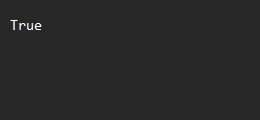
That is the entire argument. It returns True when the code is in the file and False when it is not. Everything fell into place at once. Single quotes are not Tosca special characters, so nothing traps the buffer and {B[Code]} finally resolves to AB**12//CD. Dropping the if { } else { } removes the brace collision, and -Quiet hands back a clean true or false. And -SimpleMatch tells PowerShell to treat the pattern as literal text rather than a regex, so the ** is never misread. That last flag is the shell's own version of escaping.
That is the lesson I did not expect. The scariest escaping case in my week was not solved by more escaping. It was solved by counting the layers that were already wrapping my value, Tosca, the Windows command line, and PowerShell itself, and refusing to fight the ones already handled. When a value crosses three grammars, the goal is not to armour it against all of them. It is to know which layer owns which character, and then get out of the way.

And it does not stop there – JSON, XML etc
Once you have the eye for it, the same shape is everywhere in Tosca. An API payload where you escape the JSON or XML structure but leave the buffer inside it bare, or the request quietly goes out with {B[Id]} as literal text and the server rejects it with a 500. SQL queries with quotes. Database connection strings where a semicolon in the password needs handling. Object paths in TCShell, where even the slash and the backslash have to be escaped. Different surfaces, identical underlying question every time: which part of this is a literal, and which part is a command?
Here is the part you can actually reuse
I do not want to just show you fish. Here is the rod.
This is the small rule set I feed an AI to convert an Excel formula into Tosca's CALC syntax. Paste it into whatever assistant you use, hand it your formula, and let it do the mechanical bit:
You convert Excel formulas into Tosca Excel (CALC) formulas - or into a native
Tosca DATE expression when that is simpler.
Rules:
1. Write the Excel formula on one line first.
2. For simple date maths (today +/- days, formatting), prefer Tosca's native
expression {DATE[<base>][<offset>][<format>]} - e.g. today+7 is
{DATE[][+7d][ddd, d MMM yy]}. Only use CALC when native cannot do it (e.g.
the gap between two dates).
3. For CALC: drop the leading "=" and wrap the rest in CALC: {CALC[ ... ]}.
4. Triple the quotes around a literal: "Sat" becomes """Sat""".
5. A buffer inside CALC gets FOUR double quotes: """"{B[Name]}"""".
A bare DATE expression inside CALC gets THREE: """{DATE[...]}""".
6. CALC does arithmetic only on real dates, never on text. Use TODAY() or
DATE(year,month,day). To build a date from a text buffer, split it with
LEFT/MID/RIGHT and coerce each part with +0 before DATE().
7. Format codes differ by engine: inside CALC's TEXT() use Excel codes
(mmm = month); inside a DATE expression's format slot use .NET codes
(MMM = month, mmm = minutes).
8. Close every quotation. Excel's default date format is dd-MM-yyyy.
9. Tell me to run it in Tosca. -2146826259 means #NAME? (a quote/escaping
error); -2146826273 means #VALUE! (a type error - text where a number
or date was needed).
Those last few rules are the ones I learned the hard way, and they are why the prompt now produces formulas that run instead of formulas that throw errors. Even so, treat its output as a draft and always run it in Tosca.
Now read this next line twice, because it is the whole point.
The AI does the translation. It does not carry the accountability. I have watched it produce escaping that looked perfectly reasonable and was quietly wrong. So the loop is never "AI writes it, I trust it." The loop is "AI translates it, I run it in Tosca, and the tool tells me the truth." Every example in this article, I put through Tosca before I believed it, and so should you with anything an AI hands you.That is not AI replacing the tester. That is a tester using AI to skip the boring part and keep the judgement.
“AI can do the escaping. It cannot do the accountability.”
Why I am finally sharing this
Honestly, this began as a private note to myself. A small thing that quietly affects a lot of people. It is nothing more than combining what we already know, our Excel and regex and shell habits, with what the team at Tricentis built into Tosca, and letting AI carry the translation in the middle.
I had worked most of it out on my own over the years. Writing it up pushed me to check it properly against the documentation, and I am glad I did, because now I understand the reasons and not just the recipes.

