

parwalrahul
Navigator
March 6, 2025
Quiz

Week 1 Exercise - Exploring Gen AI for Testers

  • March 6, 2025
  • 56 replies
  • 1934 views

Introduction

Welcome to your first activity on generative AI for testers! In this activity, you’ll explore different AI tools that can support your testing and engineering tasks. 

By browsing through a curated collection of AI solutions, you’ll gain insights into how these tools can be integrated into your day-to-day work.

Benefits of Participating in This Activity

  • Discover New Tools: You’ll explore a variety of AI solutions that can be used in your day-to-day work, activities, and tasks.
  • Gain Hands-On Experience: By experimenting with different tools, you’ll learn how to integrate Gen AI into your everyday testing tasks.
  • Share and Learn: When you share your findings, you’ll also benefit from the unique discoveries and use cases presented by your peers.
  • Immediate Application: You’ll come away with actionable insights and practical strategies to enhance your work right away.

Activity Description:

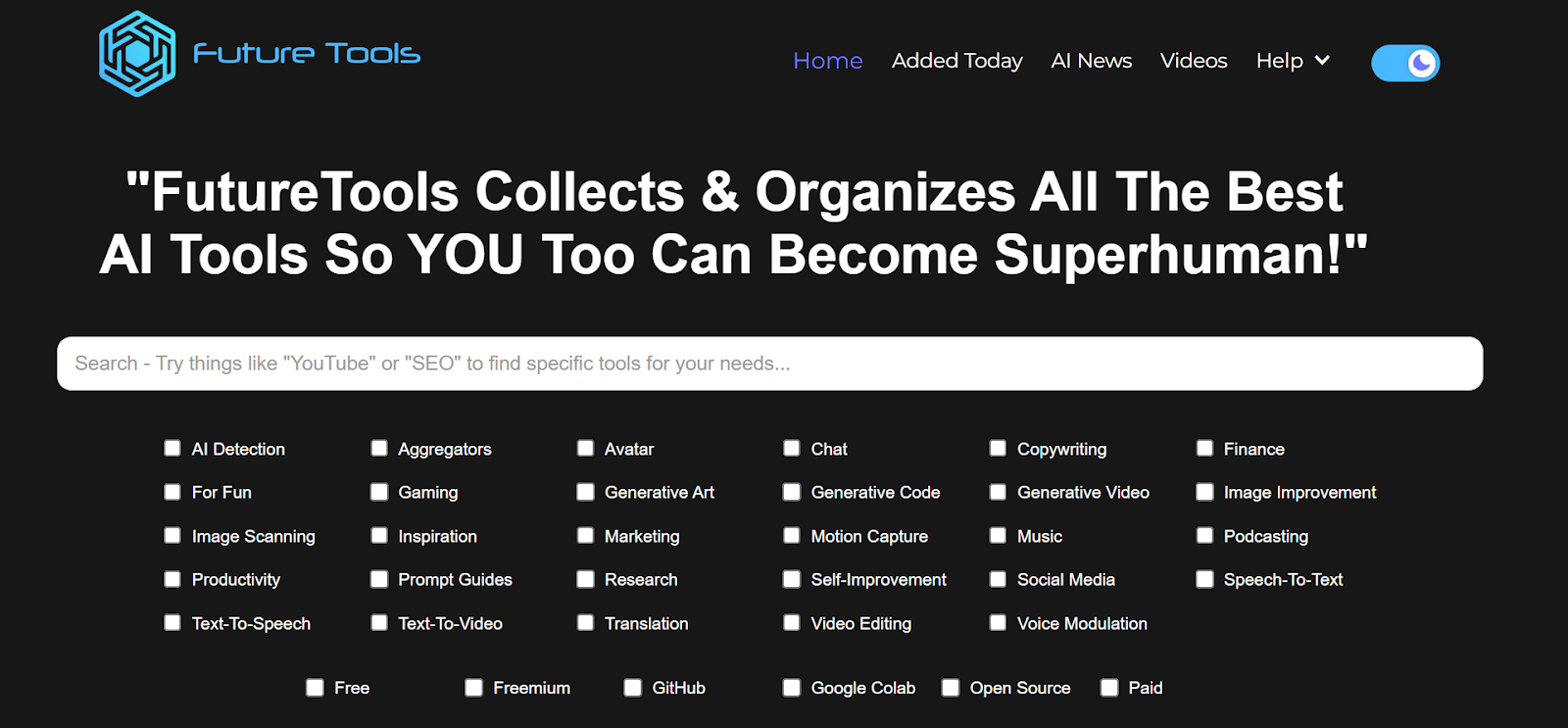
  1. Visit the Future Tools website:
    Go to https://www.futuretools.io/ and explore the catalog of AI tools.
AD_4nXeMMyk0RzIiD-CJfrOXoJlebC3NMtr2AQWGwN53SN4aTnFkMda7ZteLf0uX0WSAffyo54frmhDytUQ8GxVJ3SiTXKpfE-z3p6cDooDODKIt7VMsBzs2zdFZlMDbghvSRDoSrFR6?key=-UrBosk91MUix1zjtlFYz6yt

  1. Filter for specific criteria:
    Use the filters to narrow down tools that fit your interest or testing needs:
    • Tool categories (e.g., “AI Detection,” “Productivity,” “Generative Code”, etc.)
    • Usage preference (e.g., “Free,” “Freemium,” “GitHub”, etc.).
  2. Select a Minimum of Three Tools:
    • Choose any three tools that stand out to you based on your role as a tester or engineer.
    • Make sure to select unique tools you find potentially valuable for testing or day-to-day work tasks.
  3. Evaluate and Document:
    For each chosen tool, briefly document:
    • Name of the tool
    • Key features or capabilities that might benefit testing or engineering
    • Example use case of how you would apply this tool in your daily work (e.g., test data generation, automated test code generation, learning, etc.)
  4. Share Your Findings:
    • In response to this post, post your list of three tools along with short explanations of how each can be used.
    • Take a moment to read or listen to other participants’ selections and see if any tools could also benefit your workflow.

56 replies

Specialist
March 9, 2025

Hello Rahul,

Thank you so much for this exercise. I’ve explored a couple of tools. Here are some that got my attention:

  1.  Name of the tool: Hedra
  • Key features or capabilities: 

It’s a freemium one and will ask you to sign up and log in to use this platform.

It’s a Generative art-based platform that allows users to generate high-quality videos, images, and audio. It even offers an option to create an avatar based on the image uploaded to the prompt.

  • Example use case:

I do create content on Instagram, LinkedIn etc.., Just now I have created a pencil sketch image of a boy cycling and enjoying the breeze. I loved it. Tried different image generation models and some are really good and some need improvements.


  1. Name of the tool: TextBehindImage
  • Key features or capabilities: 

It’s a free one and it won’t ask you to log in and use this platform.

As the name suggests, It’s a Generative art-based platform that allows users to add the respective text behind the objects.

Users can change the size, color, position, transparency etc..,  of the text.

Example use case:

I do create content on Instagram, LinkedIn etc.., As I explained above I was thinking of writing a post for that I have created the above image and wanted to add some text to it and make it so creative :)

Found it useful. Even though I might or might not use it in my work this is going to be the go-to tool for adding the text in travel.

  1. Name of the tool: Napkin(the one you showed in the session)
  • Key features or capabilities: 

It’s a free one but it will ask you to sign up and log in to use this platform.

I heard it before but didn’t try it till I saw you use it in the course and the experience was seamless. It’s not very similar to any editing tool but a lot more than that - It can generate so many visuals for your text, intelligently. It can even allow you to edit the visuals, change the shapes and even allows you to download in PNG, SVG and PDF formats.

It’s like the combination of Microsoft PPT + Canva + AI.


Example use case:

I’m planning to present a potluck plan to leadership and I have all the content but I need some visuals to make my plan look bold. This application made wonders in a few seconds everything was in place and the final and main thing is I’m satisfied with the output.

Not only that, it can even generate content based on the prompt and can turn them into visuals. We can use it in any document preparation.

As we already know - Picture speaks a thousand words. 


Other than that, I’ve already tried DeepSeek so I didn’t check it out again but if you find it is not trustworthy, try to use ChatGPT DeepReason and also similar one from Perplexity.

Thought of trying Whisk - It’s not enabled in India. Loved to hear about it.

And even tried Pencil Sketch Generator - Did signed and waited for 1 hr. Till I didn’t get a mail.


I’ve spent 3+ hours on this activity and I felt great and super productive.

A kid cycling while enjoying the breeze and with text added at the background :)
Deadpool swimming in an ocean :)


parwalrahul
Navigator
March 10, 2025

Nice experimentation and response, ​@Dinesh_Gujarathi 

https://testingtitbits.com/
Bharat2609
Ensign
March 10, 2025

Hello ​@parwalrahul .

Thank you so much for this exercise. I’ve explored a couple of tools.

Here are some that got my attention:

1.Potpie - an opensource framework that changes how we build AI agents.

Here's what makes it special:

It builds AI agents that actually understand your codebase:
→ Creates a knowledge graph of your code
→ Learns relationships between components
→ Understands your coding patterns
→ Adapts to your development style

The agents it creates can:

Debug your code
↳ Analyzes errors and suggests fixes specific to your codebase

Review changes
↳ Identifies impacted APIs before you merge

Generate tests
↳ Creates both unit and integration tests automatically

Design features
↳ Helps with low-level design based on your requirements

The best part?
You can create custom agents for specific tasks.

Want an agent that specializes in your authentication flow?
Or one that focuses on your payment processing?

Just describe what you need in plain English.

This isn't just about automation.

It's about having a team of AI agent specialists that truly understand your code.


It includes prebuilt agents for debugging, code changes, integration tests, LLD, and code generation. You can also create custom engineering agents with the provided tooling system.

Every codebase is unique.
Now your AI Agents can be too.

2.Unsummary

Unsummary is an AI-powered summarizing tool that provides quick and accurate summaries of books, movies, TV shows, podcasts, people, and text. It saves time and money for writers and content marketers, allowing them to integrate the summaries into their work easily. Users can search for various types of content and get concise summaries in seconds, making it a valuable tool for enhancing writing productivity.


For Content Creators and Marketers

  • Efficient Content Creation: Unsummary helps writers and marketers save time by providing instant summaries, allowing them to focus on crafting engaging content rather than spending hours on research.

  • Improved Content Quality: The tool enables users to enrich their content with concise and accurate summaries, enhancing the overall quality of their work.

  • Time-Saving Efficiency: The tool generates summaries in seconds, significantly reducing the time spent on manual summarization and allowing users to focus on creative tasks

  • Customizable Summaries: Users can adjust the length and format of summaries to fit their specific needs, making it easy to integrate them into articles, reports, presentations, and newsletters

  • Enhanced Productivity: By automating the summarization process, Unsummary boosts writing productivity and helps users create engaging content more efficiently

     ➥When I first started using ‘Unsummary’, I was impressed by how easy it was to navigate and find summaries of various types of content. The interface is user-friendly, and the search function is incredibly efficient. I was able to find summaries of books, movies, and even podcasts within seconds.

    One of the most significant benefits of Unsummary is the time it saves me. As a content writer, I often need to summarize complex texts or provide overviews of movies and books. Before Unsummary, this process could take hours or even days. Now, I can get a concise and accurate summary in just a few clicks


  1. Casper AI


Unlock the power of AI with Casper's Chrome Extension. Casper streamlines your workflow with insights and summaries, utilizing OpenAI's GPT.Whether you're preparing for an exam, conducting due diligence on an investment, working on a major deal, or trying to stay on top of new legislation, Casper will make your job easier.


I've found it to be incredibly useful for streamlining my workflow and enhancing productivity. Here are some better ways to use Casper AI and some recommendations based on my experience:

  1. Article Summarization: Casper AI is excellent for condensing lengthy articles into concise summaries. This feature is particularly useful for quickly grasping the essence of a document without reading it entirely

  2. Content Generation: It aids in creating content optimized for SEO, which is beneficial for marketers and content creators

  3. Efficient Knowledge Sharing: Casper AI helps in sharing insights effectively, making it easier to communicate with stakeholders

  4. Interactive Summaries: Users can explore counterarguments and request explanations to gain a deeper understanding of the content

Similar kind of notegpt


Bharat
parwalrahul
Navigator
March 10, 2025

@Bharat2609 interesting ones. I really liked the possibility with Potpie.

Imo, in future with more lighter models coming in and better hardware processing capabilities, such frameworks will become the state of the art for coding, application development and scripting.

Thanks for sharing.

https://testingtitbits.com/
Ensign
March 10, 2025

Ollie.ai - An app as personal assistant for daily tasks and lifestyle management.

Google AI Studio -  It offers tools for image generation, code assistance, speech-to-text conversion, and various text applications. The platform provides pre-built templates and integrates multiple AI models, making it accessible to developers, business analysts, and general users alike. People might choose Google AI Studio for its user-friendly interface, extensive toolset, scalability, and collaborative features, enabling them to efficiently create, manage, and deploy AI projects across various industries.

Learn About - This tool is designed for learners of all ages and backgrounds, offering a dynamic, conversational approach to learning that can make complex subjects more engaging and accessible. Users might choose this tool for its personalized learning experience, interactive engagement, and comprehensive resources across various subjects.


parwalrahul
Navigator
March 11, 2025

@NitinMore - Some really interesting findings and listed tools here. I like Google AI Studio a lot.

It’s also good for learning purposes.

Regarding Learn About, it’s not available in my region (India). Were you able to try this out?

https://testingtitbits.com/
Ensign
March 11, 2025

Hello ​@parwalrahul 

Thank you so much for this exercise. I’ve explored a couple of tools, and here are some that got my attention:


1. Testim

  • Key Features: AI-powered test automation, self-healing tests, codeless test creation.
  • Use Case: As a tester, I can use Testim to create automated tests for web applications without needing to write extensive code. Its AI-driven self-healing feature adapts tests to changes in the application’s UI (e.g., button relocations or updated IDs), saving me time on test maintenance. For instance, if I’m testing a login page and the developers tweak the layout, Testim can automatically adjust the test, allowing me to focus on verifying functionality rather than fixing broken scripts.

2. GitHub Copilot

  • Key Features: AI-powered code suggestions, support for multiple programming languages, integration with popular IDEs like VS Code.
  • Use Case: When I need to write test scripts (e.g., in Python or JavaScript) for automated testing, GitHub Copilot can suggest code completions and even entire functions based on my context. For example, if I’m creating a Selenium script to validate a form submission, Copilot can propose the syntax for locating elements and handling assertions, speeding up my coding process and reducing errors. This lets me efficiently build robust test suites.

3. Otter.ai

  • Key Features: Real-time transcription, speaker identification, integration with video conferencing tools like Zoom.
  • Use Case: During sprint planning meetings or requirement discussions with stakeholders, I can use Otter.ai to transcribe conversations live. This ensures I have an accurate, searchable record of what was said—such as specific acceptance criteria or bug details—which I can later reference when designing test cases or verifying fixes. For instance, if a product owner specifies edge cases during a call, I can quickly pull them from the transcript instead of relying on memory or incomplete notes.
Space Cadet
March 11, 2025

.

Space Cadet
March 11, 2025

1. Testim

  • Key Features/Capabilities:
    • AI-driven test creation and maintenance
    • Automatically updates tests with minimal manual intervention
    • Visual test creation with an intuitive interface
  • Use Case: Testim can automate your regression tests and adapt automatically to changes in the UI. For example, if an element in the web application changes, Testim will automatically adjust the test script to accommodate that change. This could save time on manual updates and allow you to focus on other critical areas.


2. Applitools

  • Key Features/Capabilities:
    • Visual AI testing for UI/UX
    • Cross-browser and cross-device testing
    • Automatically detects visual differences and alerts when issues occur
  • Use Case: Applitools can help you ensure that the UI looks consistent across different browsers and devices, which aligns with your role of checking visual elements such as font size, color, and spacing. It’s particularly useful for cross-browser testing and when validating UI changes that may not be easily caught by manual testing.

3. Test.ai

  • Key Features/Capabilities:
    • Automated app testing using AI for mobile apps
    • Can perform functional and UI testing without requiring explicit scripts
    • Detects user flows and anomalies during testing
  • Use Case: Test.ai would be useful for automating your testing of mobile apps. It could detect visual bugs and UI flow issues, helping you quickly identify potential regressions or errors during the mobile version testing you’re working on. It would also be helpful in your automation tasks when verifying visual elements like the mobile layout.
Ensign
March 12, 2025

Hello All,

I found the following AI tools to be interesting :

  1. Potpoie AI (Freemium)

This tool creates AI agents that help with testing and other engineering tasks by understanding the codebase's context. It automates code analysis, debugging, and test generation. This streamlines workflows and improves efficiency for developers and testers 

https://github.com/potpie-ai/potpie


  1. Qodex AI (Freemium)

QodexAI is an AI-powered API testing platform that automates test generation, execution, and monitoring. It ensures accurate, up-to-date API validation with minimal manual effort and integrates seamlessly with CI/CD pipelines.

https://qodex.ai/blog/qodexai-platform-documentation


  1. Omnifact (Paid)

Omnifact is a privacy-focused, generative AI platform designed for businesses, allowing them to create secure, custom AI chat assistants using internal knowledge while prioritizing data security and control.

https://omnifact.ai/

More features - https://omnifact.ai/blog