Specialist
Sep 18, 2023 8:09 AM UTC
Solved

[Testim] Scheduled tests are getting queued

Hi All,

I am using Testim.io since last 4-5 months and it’s seems working well for me as of now. I have tried scheduling the recorded test cases over the weekend so that I could get the result once I am back on Monday morning. 

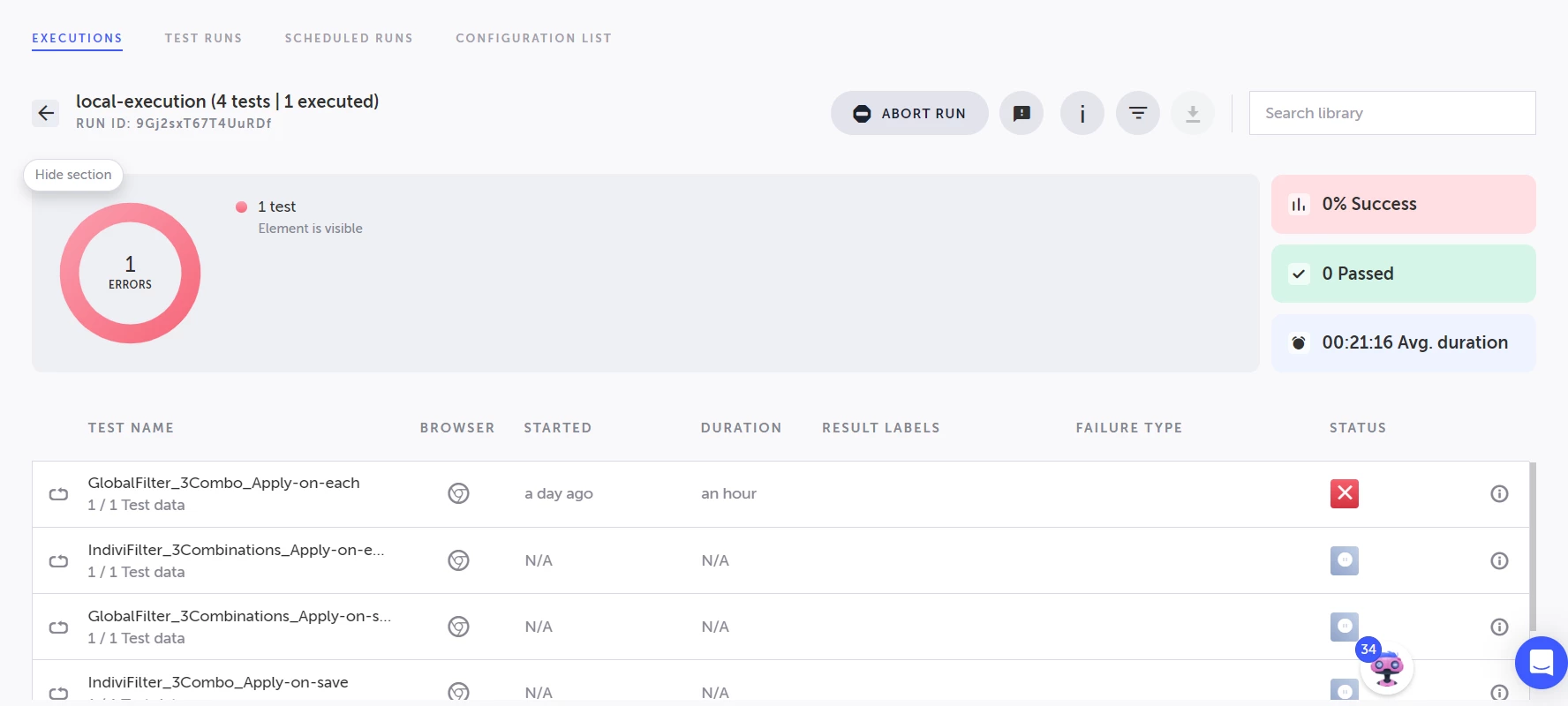
However, many times the whole test case suites are not getting executed fully. I am getting error as -

Test Cases are Queued


Why is this happening? I am running a suite on my local environment with local test grid.

Please help me and thanks in advanced!

MatanAnswer
Employee
Sep 25, 2023 9:35 PM UTC

Hi,

It seems that you are running a local execution and NOT a scheduler.

Please take a look at how to run a scheduler in the above link.

Please note it is not recommended to run local executions for stable, complete tests as your local env can be unstable and subjected to network & memory issues, as well as the run is subjected to any manual movement interfering. 

That is why it is recommended to run remotely on the grid (which can be done via CLI/scheduler/remote runs).

You can read more here on the different execution methods: https://help.testim.io/docs/running-tests-overview#how-are-test-runs-counted-towards-your-subscription 

Regardless, for the issue appearing in the screenshot: local execution being stuck.
 

Here are possible reasons that might cause the local suite to get stuck:


1. Closing the tab (Testim app) where the local suite run was triggered

2. Changing and saving tests that are used in the local suite run

3. Modifying the used tests in that suite run does not always cause a local suite to get stuck, rather, it does cause unexpected behavior, such as

a. It might cause the suite to get stuck (as mentioned)

b. It might run the older version of the modified test

c. It might run the new version of the modified test


4. Closing the AUT during the run:

Closing the AUT might not get the suite run to get stuck, in some cases, it will fail a test with “tab was closed” error, but still, it will cause a local suite to get stuck.

5. Refreshing the page during the run.

6. Unstable networking.

7. Executing another local suite run while one is running will cause the first one to get stuck


Hope it help! :)

2 replies

Employee
Sep 20, 2023 12:50 PM UTC

Hi Pramod,

This is a specific case, so we'd love to help you with the full solution to ensure your experience continues to be flawless. Therefore kindly reach out to us at support@testim.io Or via in-app chat. 

MatanEmployeeAnswer
Employee
Sep 25, 2023 9:35 PM UTC

Hi,

It seems that you are running a local execution and NOT a scheduler.

Please take a look at how to run a scheduler in the above link.

Please note it is not recommended to run local executions for stable, complete tests as your local env can be unstable and subjected to network & memory issues, as well as the run is subjected to any manual movement interfering. 

That is why it is recommended to run remotely on the grid (which can be done via CLI/scheduler/remote runs).

You can read more here on the different execution methods: https://help.testim.io/docs/running-tests-overview#how-are-test-runs-counted-towards-your-subscription 

Regardless, for the issue appearing in the screenshot: local execution being stuck.
 

Here are possible reasons that might cause the local suite to get stuck:


1. Closing the tab (Testim app) where the local suite run was triggered

2. Changing and saving tests that are used in the local suite run

3. Modifying the used tests in that suite run does not always cause a local suite to get stuck, rather, it does cause unexpected behavior, such as

a. It might cause the suite to get stuck (as mentioned)

b. It might run the older version of the modified test

c. It might run the new version of the modified test


4. Closing the AUT during the run:

Closing the AUT might not get the suite run to get stuck, in some cases, it will fail a test with “tab was closed” error, but still, it will cause a local suite to get stuck.

5. Refreshing the page during the run.

6. Unstable networking.

7. Executing another local suite run while one is running will cause the first one to get stuck


Hope it help! :)