
PolinaKr
Community Manager
February 12, 2026

AI vs Human Meetup [Solo task]

  • February 12, 2026
  • 34 replies
  • 560 views

Solo Activity (20 min)


In 20 minutes, you’ll have to take a basic AI response (SLOP) and improve it toward higher quality, following the SLOP → KINO continuum.

You’ll have to use one of the core ShiftSync features to submit and reflect.

Here is the step by step demonstration of the activity.

1️ Pick ONE ShiftSync feature

Choose any one to focus on:

2️ Craft an Initial Prompt

Use an AI tool (ChatGPT, Claude, Gemini, Copilot etc.) to generate output related to your chosen feature.

Choose any one goal to work on:

  • Test cases / edge cases
  • Diverse use cases / user journeys
  • Test ideas
  • A mini help article
     

NOTE: Record your original prompt.
 

3️ Analyze the AI Output

Critically review the AI result and identify at least 3 specific weaknesses, gaps, wrong assumptions, or missing edge cases.

Note: Be specific and state what’s wrong and why it matters.


4️ Improve the Prompt and Rerun

Rewrite your original prompt to make it stronger and clearer. Run it again with your AI tool.

Note: Capture the improved prompt and new AI output.


📤 Submission:

Post your submission in this thread with the following detail:

🔹Feature Selected
🔹Tags: #AIChallenge #SLOP2KINO #ShiftSync
🔹Attachments: Attach a document with all the below detail or copy paste text or just submit your chat link with AI conversation.

Your submission must include:

  1. Original prompt / mode / attachment (used)
  2. AI output (Original)
  3. List of weaknesses/gaps
  4. Improved prompt + improved output (Optional)


Feel free to add your creative side or anything that helps us analyse your submission better.

    34 replies

    February 13, 2026

    Since it’s not possible to edit my reply I will add it here all the exercise.

    Feature Selected: User Profile → Settings → Notifications


    🔹Tags: #AIChallenge #SLOP2KINO #ShiftSync


    Original Prompt:


    Analyze the provided screenshot and describe everything visible in detail.
    Include: All notification settings shown; The status of toggles, checkboxes, and selected options; Any buttons or actionable elements; The general purpose of the page and what a user can configure there; Present the results as a structured list grouped by sections. 


    Original output:
     

    ✅ Core Functional Test Cases (Expected Behavior)

    1. Page Identification

    Goal: Verify the model recognizes the main context.

    • Input: Original screenshot

    • Expected Output:

      • Detects page title (“Settings”)

      • Identifies it as a notification settings page

      • Mentions navigation tabs (My profile, General, Notifications, Password)

    • Failure Signals:

      • Calls it a dashboard/homepage

      • Misses tab navigation

    2. Section Recognition

    Goal: Ensure structural understanding.

    • Expected Sections Identified:

      • Email notifications

      • Replies

      • Subscriptions

      • Best answer

      • Mentions

      • Private message

      • Campaigns

    • Failure Signals:

      • Missing sections

      • Invented sections not present

    3. Toggle State Detection

    Goal: Check visual state interpretation.

    • Expected:

      • Recognizes toggles are ON/OFF

      • Correctly identifies selected radio option

    • Failure Signals:

      • Guessing toggle state without evidence

      • Confusing toggles with checkboxes

    4. Actionable Elements Recognition

    Expected Detection:

    • Save Changes button

    • Toggle switches

    • Radio buttons

    Failure Signals:

    • Missing CTA button

    • Calling static text “clickable”

    5. Hierarchy & Grouping

    Goal: Verify structured output compliance.

    • Expected:

      • Grouped under logical sections

      • Clean list formatting

    • Failure Signals:

      • Flat paragraph

      • Random order

    ⚠️ Edge Cases (Model Robustness Tests)

    6. Partial Screenshot Crop

    Modify Image:

    • Remove page title

    • Remove bottom button

    Expected Behavior:

    • Model states missing context

    • Avoids guessing unseen UI

    Failure:

    • Hallucinates missing elements

    7. Low Resolution / Blurred Version

    Expected:

    • Model acknowledges uncertain text

    • Uses cautious language

    Failure:

    • Confidently invents unreadable text

    8. Dark Mode Color Inversion

    Goal: Test reliance on color assumptions.

    Expected:

    • Still recognizes toggles and layout

    • Does not rely on color naming

    9. Localization Change

    (Change labels to another language)

    Expected:

    • Detects structure despite new wording

    • Identifies buttons and navigation roles

    10. Extra Fake Toggle Added

    (Add a new item like “Security alerts”)

    Expected:

    • Lists only visible items

    • No assumptions about standard settings

    11. Radio Button Both Unselected

    (Manipulated UI)

    Expected:

    • Notes inconsistency

    • Describes state accurately

    12. Accessibility Icons Added

    (Add screen reader icon or tooltip)

    Expected:

    • Mentions additional UI elements

    • Recognizes accessibility hints

    13. Duplicate Sections

    (Add two “Mentions” sections)

    Expected:

    • Reports duplicates explicitly

    14. Button Removed

    (Delete Save Changes button)

    Expected:

    • Does NOT invent submission mechanism

    15. Mixed UI Framework Elements

    (Add dropdown among toggles)

    Expected:

    • Identifies different control types correctly

    🧪 Advanced Evaluation Tests (Very Useful)

    Hallucination Detection Test

    Give:

    • Screenshot missing half the options

    Check if model:

    • Invents default notification types

    Instruction Compliance Test

    Change prompt to:

    “Return output ONLY as a structured list.”

    Check:

    • Format obedience

    Contradictory Prompt Test

    Add:

    “Do not mention buttons.”

    Check:

    • Whether model suppresses “Save Changes”


    Weakenss

    • The tests expect models to correctly identify ON/OFF states, but they rely heavily on color interpretation (blue vs white toggle). That’s fragile.
    • Missing Edge Cases for misaligned elements, responsive mobile layout, column collapse, reordered UI.

    • Missing False-Positive Interaction Tests.


    Improvement & Improvement Prompt


    ✅ Improved Master Prompt (Robust Test-Case Generator)

    You are evaluating a vision-language model’s ability to analyze UI screenshots.
    Based on the provided screenshot analysis prompt below, generate comprehensive test cases and edge cases that stress-test the model’s accuracy, reasoning, and robustness.

    Screenshot Analysis Prompt Being Tested

    Analyze the provided screenshot and describe everything visible in detail.
    Include:

    • The page title and navigation tabs

    • All notification settings shown

    • The status of toggles, checkboxes, and selected options

    • Any buttons or actionable elements

    • The general purpose of the page and what a user can configure there
      Present the results as a structured list grouped by sections.

    Requirements for Generated Test Cases

    Create test cases that specifically challenge the following known failure areas:

    1. Visual State Ambiguity

    • toggles without clear color cues

    • grayscale or monochrome screenshots

    • high-contrast accessibility themes

    • disabled or read-only controls

    • inconsistent UI styling

    2. OCR & Text Interpretation Errors

    • blurred or low-resolution text

    • truncated labels

    • overlapping tooltips or popups

    • multilingual or mixed-language UI

    • misaligned descriptive subtext vs headings

    • partial screenshots or clipped content

    3. Layout & Hierarchy Misinterpretation

    • responsive/mobile layouts

    • reordered sections

    • duplicate section names

    • collapsed or accordion panels

    • dense UI with many repeated items

    • irregular spacing causing grouping confusion

    4. Interaction Hallucination Risks

    • decorative icons that look clickable

    • disabled buttons

    • missing primary action buttons

    • static text styled like controls

    • hover-only UI elements not visible

    5. Cognitive Load & Complex UI Stress

    • long settings lists

    • nested settings

    • mixed notification channels

    • validation error messages

    • modal dialogs or overlays

    6. Uncertainty & Ambiguity Handling

    • partially visible controls

    • ambiguous icons

    • incomplete screenshots

    • conflicting UI states

    Output Format

    For each test case provide:

    • Test Case Name

    • Purpose

    • Screenshot Modification / Scenario

    • Expected Model Behavior

    • Common Failure Modes

    • Risk Level (Low / Medium / High)

    Additional Constraints

    • Include at least:

      • 5 hallucination trap tests

      • 5 OCR failure tests

      • 5 layout hierarchy tests

      • 3 accessibility-mode tests

      • 3 modal/overlay tests

    • Include both realistic and adversarial UI scenarios

    • Avoid assuming visual states unless explicitly visible

    • Include tests where the correct response is to express uncertainty

    • Do NOT invent UI elements not present in the modification scenario

    Generate a comprehensive, high-coverage test suite.


    parwalrahul
    Navigator
    February 20, 2026


    Feature Selected: Create Topic – Community Module

    Goal: Test cases / edge cases

    1. Original Prompt

    Generate test cases for the Create Topic feature in ShiftSync.

    2. Original AI Output (Summary)

    The AI suggested:

    • Verify user can create a topic

    • Verify mandatory fields

    • Verify topic appears in the list

    • Verify edit and delete functionality

    • Verify error messages

    • Verify mobile compatibility

    3. Weaknesses Identified

    Weakness 1 – Too Generic

    The response only covered basic happy-path scenarios and mandatory field checks. It did not go deeper into real validation logic like character limits, duplicate topic handling, category rules, or formatting normalization.

    Why this matters:
    In real applications, most defects are found in validation rules and business logic — not in basic field presence checks.

    Weakness 2 – No Security Thinking

    There was no mention of testing for script injection, HTML tags, or malicious payloads in the title or description fields.

    Why this matters:
    Community features are common entry points for stored XSS vulnerabilities. If user input is not sanitized properly, it can impact all users who view the topic.

    Weakness 3 – No Role-Based Validation

    The output did not consider whether different user roles (admin, regular user, read-only user, anonymous user) have different permissions to create topics.

    Why this matters:
    Access control misconfigurations are common production issues and can lead to unauthorized content creation.

    Weakness 4 – Missing Non-Functional Coverage

    There was no mention of:

    • Performance under high load

    • Concurrent topic creation

    • Backend/API validation

    • Database consistency

    Why this matters:
    Race conditions and data duplication often happen when multiple users create topics at the same time.

    4. Improved Prompt

    Act as a QA engineer reviewing the Create Topic feature in a community platform.

    Generate detailed and realistic test scenarios covering:

    • Positive and negative cases

    • Business rule validation

    • Duplicate handling

    • Role-based access

    • Input validation and security

    • Performance considerations

    • Backend/API validation

    • Error handling scenarios

    Avoid generic test cases and focus on real-world production risks.

    5. Improved Output (Refined)

    Functional & Business Scenarios

    • Verify topic title respects character limit.

    • Verify duplicate titles within the same category are prevented or handled properly.

    • Verify leading/trailing spaces are trimmed before saving.

    • Verify topic is not saved if required fields are empty.

    • Verify topic appears immediately in the list after successful creation.

    Security Scenarios

    • Enter <script>alert(1)</script> in title and verify it is displayed as plain text.

    • Enter HTML tags and verify they are sanitized.

    • Try common SQL injection strings and verify request is rejected properly.

    • Verify system does not expose stack traces on failure.

    Role-Based Testing

    • Anonymous user should not see the Create Topic option.

    • Read-only users should receive proper authorization error.

    • Admin and authorized users should be able to create topics successfully.

    Concurrency & Stability

    • Simulate multiple users creating topics at the same time.

    • Verify no duplicate records are created due to race conditions.

    • Validate system behavior if backend service temporarily fails.


    Congratulations ​@Srinivasch🎉

    You are the winner of the solo activity.

    The announcement was made yesterday during the AI Agents MasterClass and it is a moment worth celebrating.

    Well done! Keep shining and raising the bar.

    Reach out to ​@Mustafa  and ​@PolinaKr for next steps about the awards.

    https://testingtitbits.com/
    PolinaKr
    PolinaKrCommunity ManagerAuthor
    Community Manager
    February 20, 2026

    Hello, Everyone.

    Thank you for participating in this meetup challenge. We have received many great answers.

    But only one must prevail and in this case, it’s the answer of ​@Srinivasch.

    Warm congratulations! 

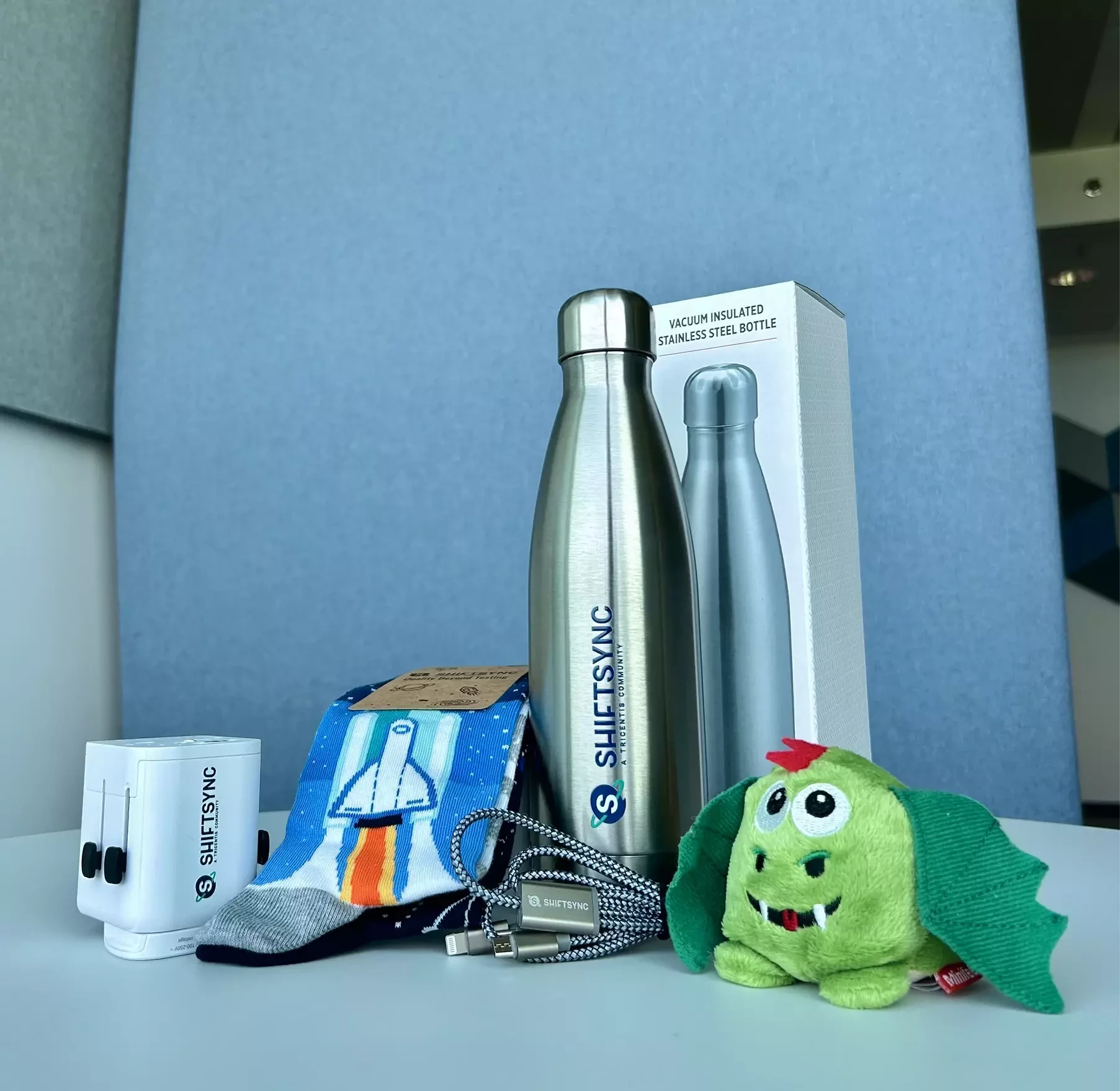
    We will reach out to you via email to arrange the delivery of your giftbox. So, keep an eye out on your email inbox.

    Stay tuned for more exciting events and challenges. Only on ShiftSync!

    And may the quality be with you
    سامان ذوالفقاریان
    Ensign
    February 20, 2026

    Hello, Everyone.

    Thank you for participating in this meetup challenge. We have received many great answers.

    But only one must prevail and in this case, it’s the answer of ​@Srinivasch.

    Warm congratulations! 

    We will reach out to you via email to arrange the delivery of your giftbox. So, keep an eye out on your email inbox.

    Stay tuned for more exciting events and challenges. Only on ShiftSync!

    Congratulations ​@Srinivasch on this achievement. good luck.🥳👏👏👏