



QA professionals know that analyzing load test results can be like finding a needle in a haystack. Modern performance testing tools are now incorporating AI to make this easier. This week’s tip is about using Tricentis NeoLoad’s AI-powered analysis to quickly identify performance bottlenecks in your load testing workflow. NeoLoad’s latest releases include an “Augmented Analysis” engine that automatically highlights anomalies in test results – helping you focus on the areas that matter instead of wading through pages of metrics.
AI-Powered Anomaly Detection in Performance Testing
Tricentis NeoLoad leverages machine learning to auto-analyze load test data and flag unusual patterns. It looks at key indicators – Rate, Errors, and Duration (RED) – to spot when the system’s behavior deviates from the norm. For example, a sudden spike in error rates or a slowdown in response times during a test run can be immediately caught by the AI. As the Tricentis team explains, NeoLoad’s AI algorithms will even detect performance regressions over time, directing your attention to genuine issues and filtering out noise. In short, the tool points you to where and when a potential bottleneck occurred, and even provides some context on why it thinks those results are important.
Using AI in this way feels like having a smart assistant reviewing your performance test. It’s authentic help – the insights come from your actual data, not some marketing magic. By automatically pinpointing the problematic sections of a test, you can save time and trust that you’re not missing hidden issues. (No more staring at dozens of graphs wondering what’s normal and what’s not!) And because it’s not a human-in-the-loop, the analysis runs in real-time – you might even catch an anomaly during a load test and react before the test finishes.
Quick Step-by-Step Guide: Auto-Analyzing Load Tests with NeoLoad AI
-
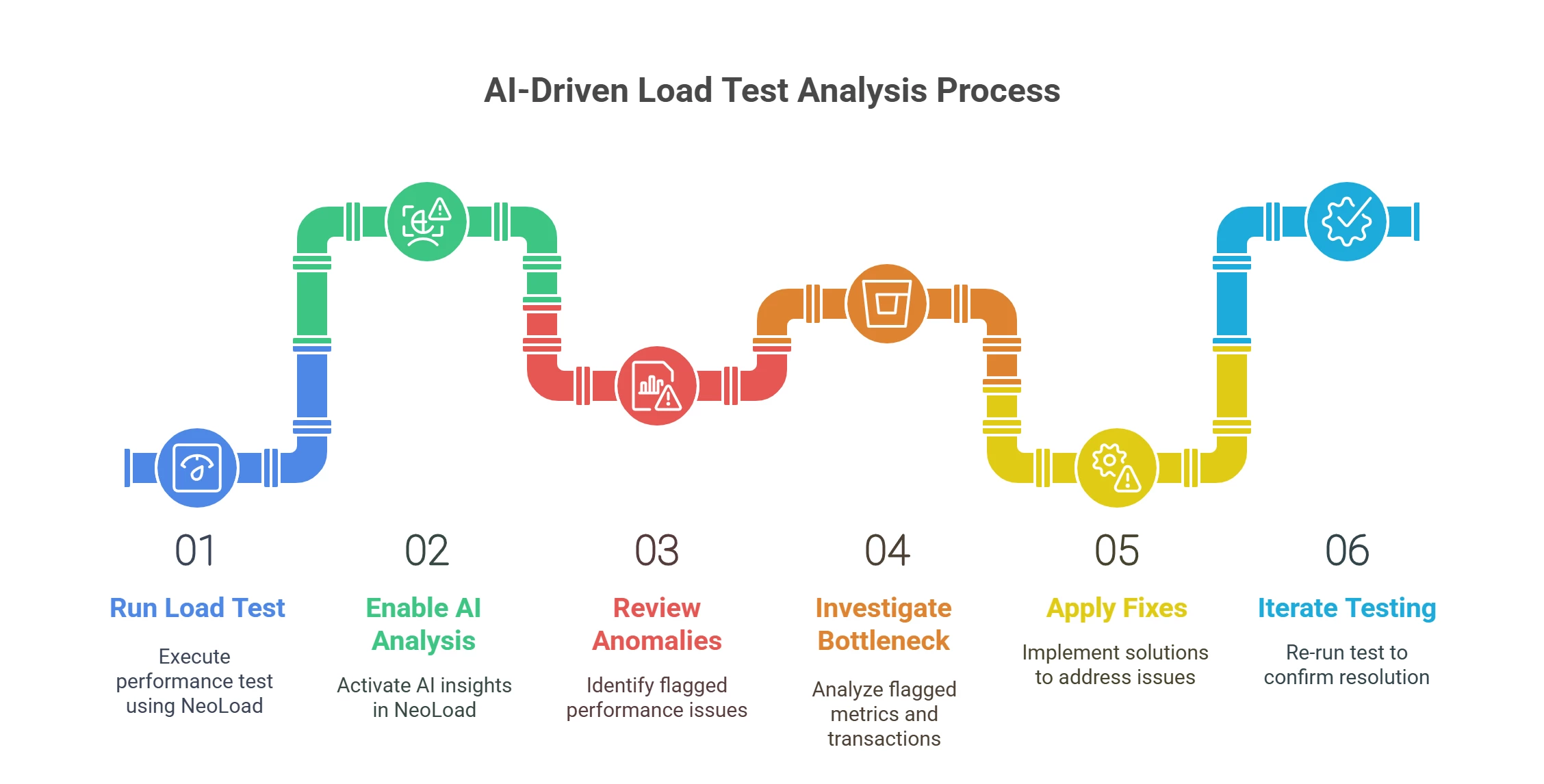
Run a Load Test in NeoLoad: Execute your performance test as usual using Tricentis NeoLoad (on-prem or NeoLoad Web). Ensure you have baseline metrics or previous runs if you want the AI to compare trends over time.
-
Open the Results and Enable AI Analysis: After the test (or even mid-test), navigate to the results analysis view. NeoLoad’s Augmented Analysis feature may be enabled by default in the latest version – look for an “AI Insights” or “Augmented Analysis” panel in NeoLoad Web.
-
Review Highlighted Anomalies: The AI will automatically scan the RED metrics (request Rate, Error counts, and Duration/response time) across the timeline. Pay attention to any sections flagged by the tool. For instance, the AI might mark a time interval in red or list an insight like “Spike in error rate at 10:57 – potential bottleneck.” These cues indicate where performance deviated significantly.
-
Investigate the Bottleneck: Drill down into the flagged period or metric. Check which transactions or endpoints had issues – e.g. maybe a particular API call’s response time shot up when user load increased. NeoLoad’s integration with monitoring and APM tools can be helpful here (if configured), letting you correlate the timing of the anomaly with server-side metrics.
-
Apply Fixes and Iterate: Use the findings to identify the root cause (such as a slow database query or insufficient thread pool). The real win of AI-assisted analysis is that it gives you a clear starting point for troubleshooting. Once you address the bottleneck, run the test again – the AI can confirm if the anomaly is resolved or if new issues appear, effectively acting as a continuous feedback loop.
By incorporating this AI-driven anomaly detection into your performance testing workflow, you reduce manual toil and gain confidence that you’re catching the important issues. NeoLoad’s smart auto-analysis means less time hunting for problems and more time fixing them. It’s a practical way to harness AI in QA: let the tools do the heavy lifting in data analysis while you focus on delivering a faster, more resilient application. Keeping it clear and focused – without the sales pitch – the takeaway is simple: use the AI features in your performance testing tool to work smarter, not harder. The next time you run a load test, give NeoLoad’s augmented analytics a try and watch how quickly you zero in on performance pain points.