

Using Model Context Protocol (MCP) in Tricentis qTest: A practical guide
Model Context Protocol (MCP) is an open standard that lets AI assistants (and agentic tools) talk to enterprise systems through a consistent, secure interface—think of it like USB‑C for AI tools. In practice, MCP gives an AI chat/agent access to resources, prompts, and tools exposed by a server, over a JSON‑RPC connection, in a way that’s LLM‑agnostic and designed with explicit user consent and controls.
Why it matters for quality engineering: Tricentis now ships a qTest MCP server that bridges AI clients (e.g., Cursor, Claude) with the qTest API so you can converse your way through common test‑management work: list requirements, inspect linked tests, spot gaps, create missing test cases, analyze executions, and even file defects—all without writing glue scripts or clicking through deep UI menus.
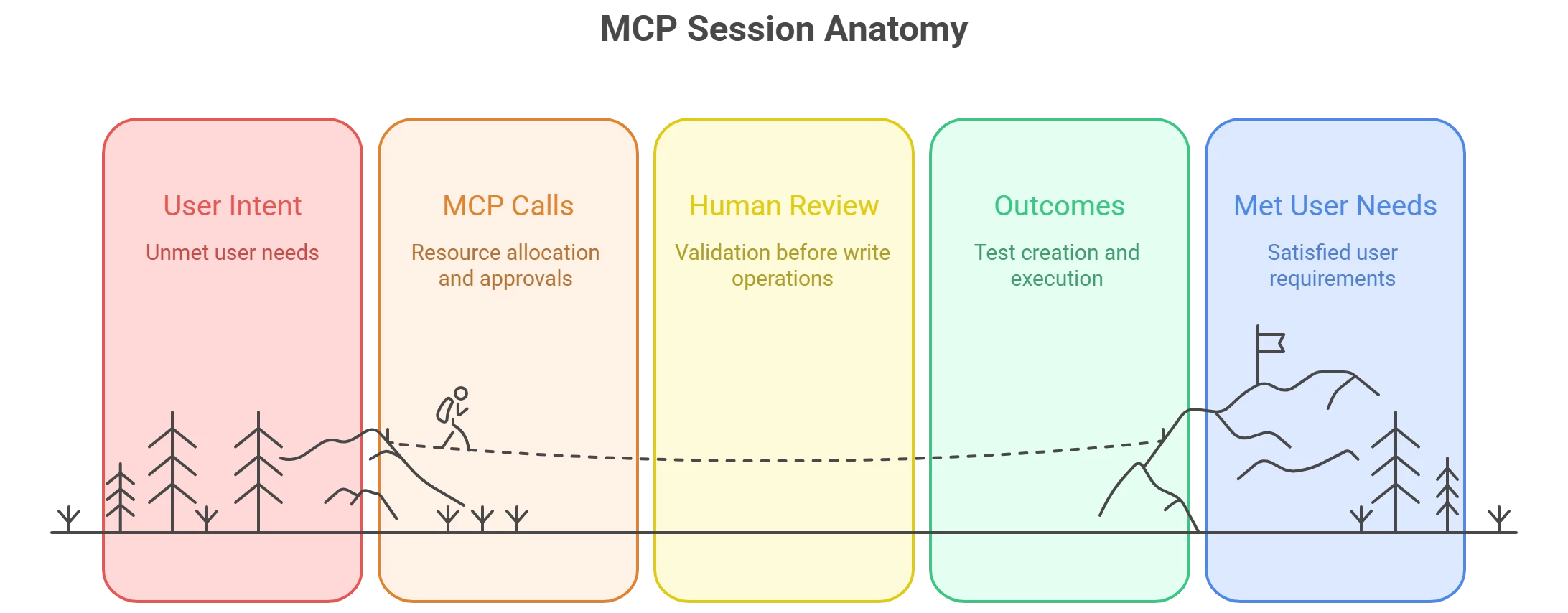
How the qTest–MCP stack fits together
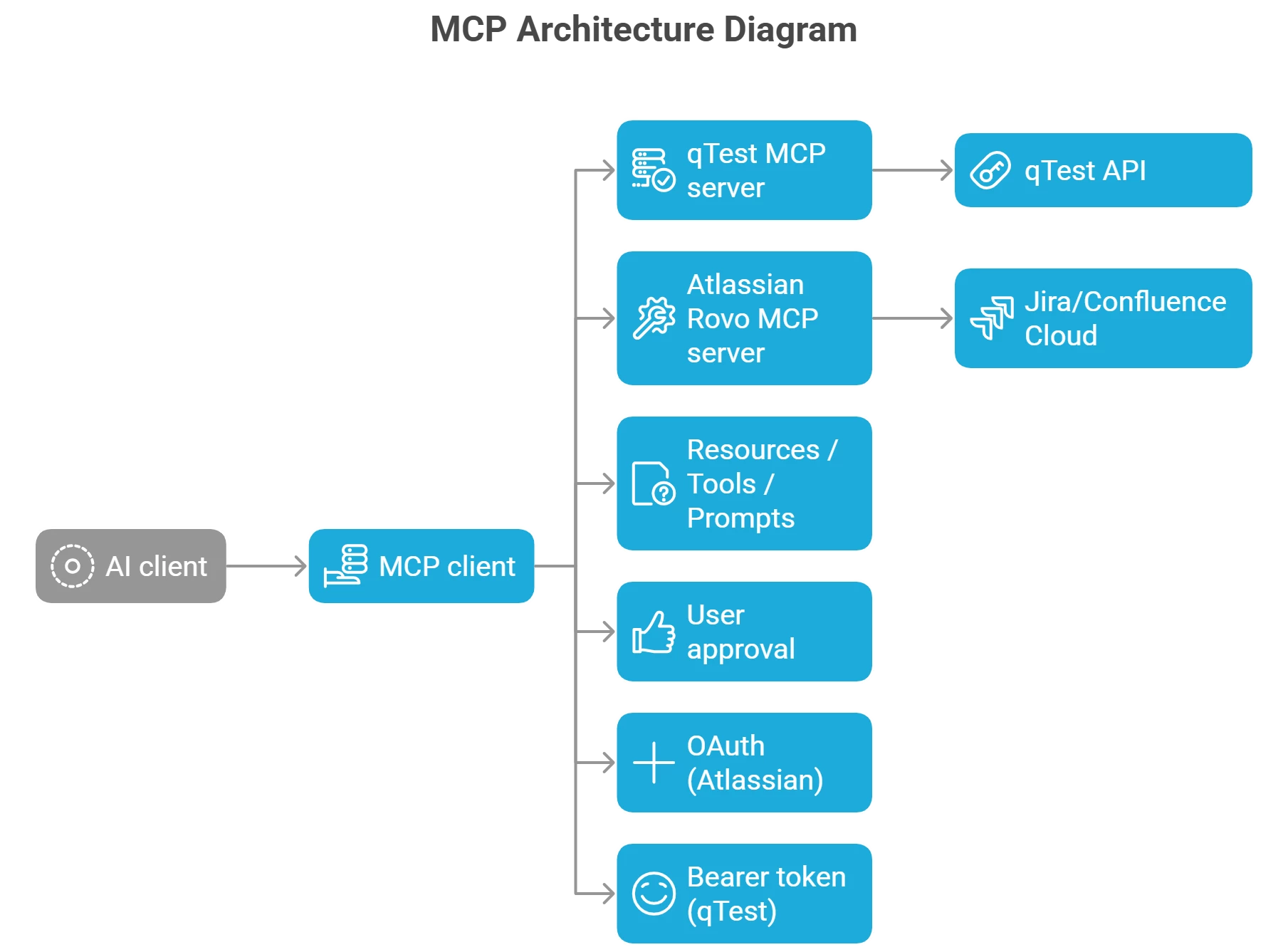
- MCP client (e.g., Cursor): The IDE/assistant that speaks MCP and can attach servers via local
mcp.jsonor remote transport. Cursor documents first‑class support for MCP transports and server configuration. - qTest MCP server: A Tricentis‑provided (and community‑published) server that exposes qTest capabilities over MCP; it requires a qTest token and (for some setups) Node.js and
mcp‑remote. - (Optional) Atlassian Rovo MCP server: If you also connect Atlassian’s remote MCP server, your assistant can create/update Jira issues or pull Confluence context, then reflect the same in qTest via native integrations—enabling end‑to‑end workflows driven by natural language.
Security note: The MCP specification emphasizes explicit user approval for data access and tool execution; Atlassian’s remote server layers OAuth scopes and permission mirroring on top, so actions still respect your Jira/Confluence permissions.
Four high‑value workflows you can run today
Below are distilled, field‑tested flows you can drive with plain English prompts once your assistant is connected to qTest (and optionally Atlassian).
-
Generate and link test cases from a requirement
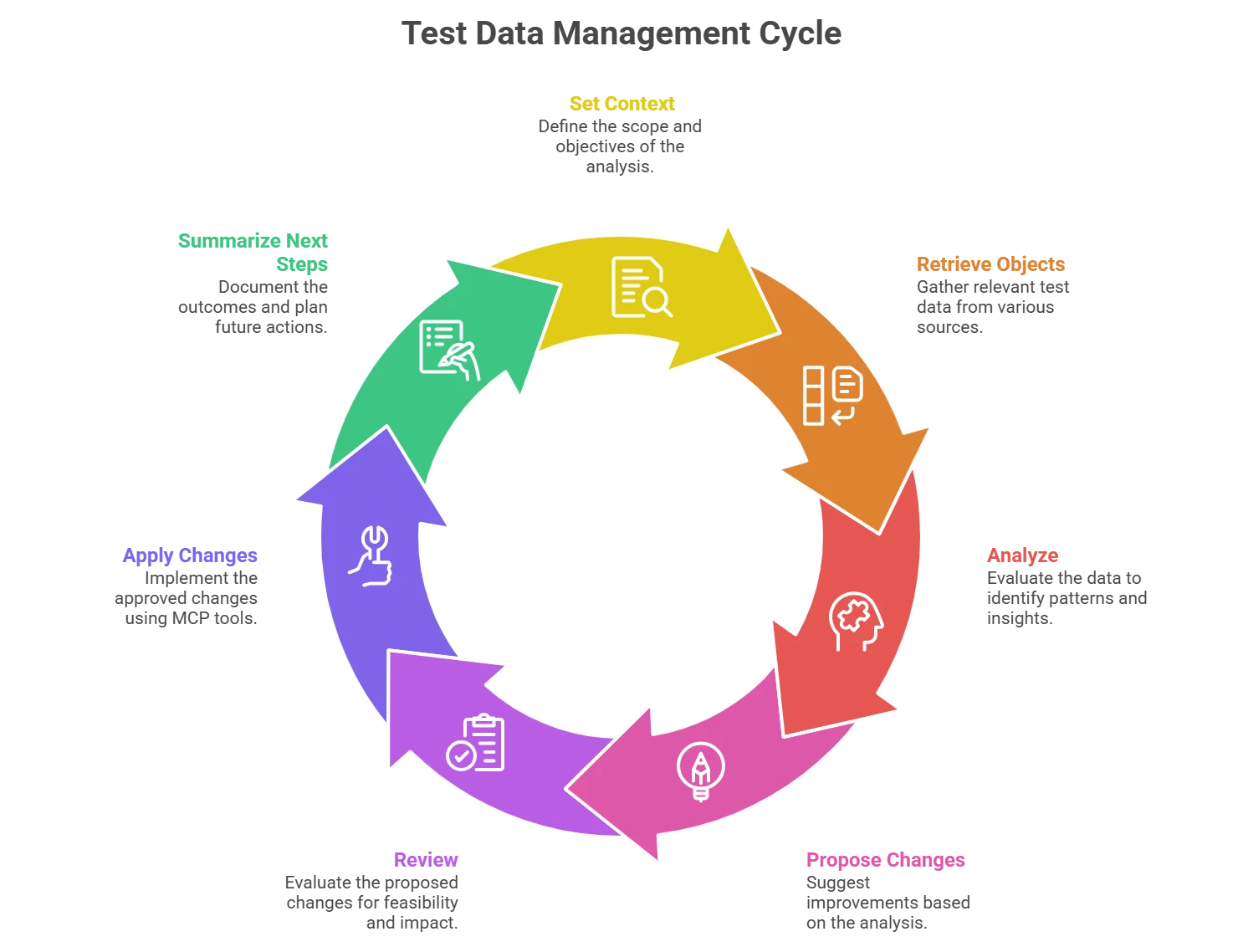
Ask the assistant to scope into a qTest project, fetch a specific Jira user story, then generate tests to reach a coverage target (e.g., 90%) and link them back to the story. In practice, the agent will: set context → retrieve requirement → propose tests (including edge cases) → create and link them via qTest APIs. Review step content before finalizing. -
Remove redundancies and tighten your portfolio
Have the assistant analyze tests linked to a requirement and propose de‑duplication or updates, then implement the accepted changes. This helps keep regressions lean and focused. -
Maintain coverage after a requirement change
If a requirement evolves, prompt the assistant to re‑analyze linked tests, identify coverage gaps, and create the missing cases. Today it can recommend deletions but won’t delete tests automatically—you’ll confirm those manually or via native APIs. -
Execution analysis and defect follow‑up
Ask the assistant to fetch executions tied to a requirement (or set of tests), summarize patterns (e.g., 10 runs with 100% failure), and propose next steps—like filing or updating defects. You can push accepted actions to qTest, and optionally to Jira via an Atlassian MCP server.
Tip: Effective prompting matters. Tricentis recommends a “funnel” approach (set project → requirement → objects) and using IDs to limit costly queries; their guide lists the concrete MCP actions available once connected.
Reporting: what MCP does vs. what Insights does
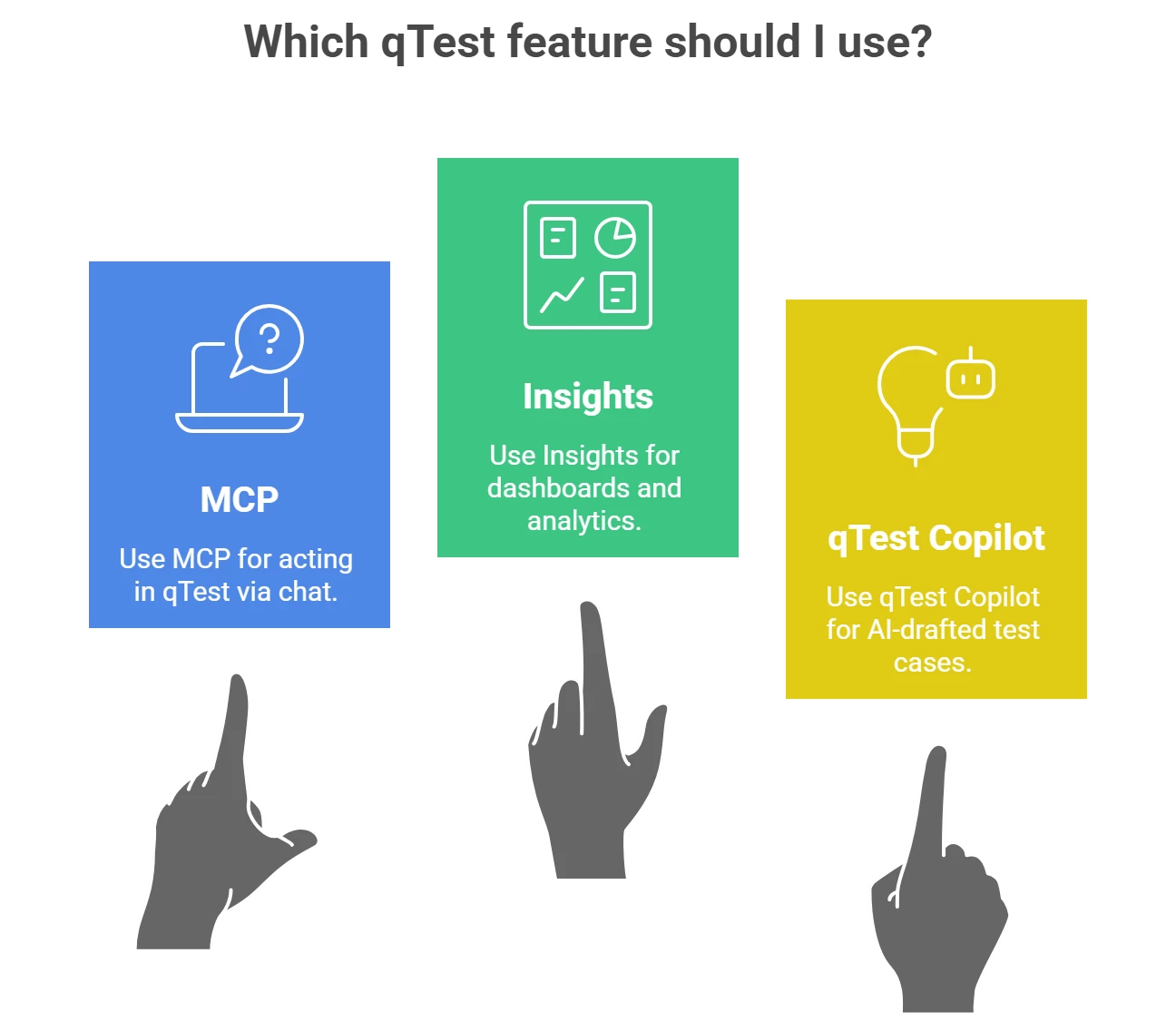
Use MCP to retrieve, summarize, and act; use qTest Insights for curated analytics, cross‑project dashboards, raw data exploration, and scheduled reporting. In other words, MCP is your conversational control plane, while Insights remains your analytics workbench.
- Insights provides out‑of‑the‑box dashboards for Quality, Coverage, and Velocity plus custom reports and Explore Data.
- From an MCP session, you can still assemble quick, ad‑hoc summaries (e.g., failure patterns by requirement), then decide whether to formalize them in Insights.
Availability, clients, and integrations (what to know)
- qTest MCP is documented for qTest SaaS and requires a bearer token; setup includes Node.js 18+ and the
mcp‑remotepackage for certain remote transports. Cursor is the tested client today (others may work if MCP‑compatible). - Cursor offers native MCP configuration (stdio/SSE/HTTP), one‑click installs for many servers, and approval controls for tool calls.
- Atlassian Rovo MCP brings Jira/Confluence into the same chat, with OAuth2.1 and permission mirroring, enabling end‑to‑end flows that cross both systems.
- Tricentis’ broader AI roadmap includes Copilot assistants across products (e.g., qTest Copilot for AI‑drafted test cases), which complement MCP by accelerating authoring and portfolio optimization.
Quick‑start checklist (10–15 minutes)
- Confirm prerequisites: qTest SaaS access with MCP enabled; get your Bearer Token from Download qTest Resources → API & SDK.
- Prepare the client: Install Node.js ≥ 18 and
mcp‑remoteif you’ll use a remote transport. Configure Cursor’s MCP settings and add your qTest server entry (mcp.json). - Verify: In a fresh chat, run: “Show me project {ID}.” If the connection is healthy, you’ll see project details immediately.
- Attach Atlassian (optional): Connect to the Atlassian Rovo MCP server to create/read issues and pages alongside qTest work.
Practical prompting patterns (copy/paste)
- Scope the session
“Work in qTest project {ID}. Confirm the name and stats.” - Design for coverage
“For Jira issue {KEY}, propose tests to reach ~90% coverage. Include boundary and edge cases, then create and link them.” - Reduce redundancy
“Analyze tests linked to requirement {ID} and recommend merges/deletions/updates to remove overlap. Summarize changes before applying.” - Execution triage
“Fetch runs for requirement {ID} over the last 14 days. Summarize patterns and propose priority defects to file.”
Caveats and pro tips
- Human‑in‑the‑loop: Review generated test steps before creation; keep a small allow list of permitted actions until you build trust.
- ID‑first navigation: Use project/object IDs in prompts to minimize expensive scans and get tighter results.
- On‑prem vs. cloud: Guidance and docs today center on qTest SaaS. If you’re on‑prem, plan for a staged evaluation and keep an eye on Tricentis updates.
Why MCP + qTest is different from yesterday’s integrations
Older “plug‑in” patterns hard‑wired bots to specific vendors and UIs. MCP, by contrast, standardizes how tools expose context and actions—so you can swap clients, compose multi‑server workflows, and keep security/consent front and center. That’s what makes conversational test management (and cross‑tool flows like Jira → qTest → Insights) feasible at enterprise scale.
Want to go deeper?
- MCP spec & overview: Protocol features, security model, and examples.
- qTest MCP docs: Connection steps, required permissions, and verification.
- Prompting best practices for MCP in qTest: How to structure effective prompts and available actions.
- Cursor + MCP: Client setup, transports, and approval flows.
- Atlassian Rovo MCP server: OAuth, supported clients, and setup paths.
- qTest Insights: Reporting, dashboards, and Explore Data for analytics.
- Tricentis Copilot (qTest/Testim/Tosca): AI assistants that complement MCP.
If you’d like to see these workflows in action, check out “Tricentis Expert Session: Using Model Context Protocol (MCP) in Tricentis qTest.”

