


Best Practices in Performance Testing

Performance testing plays a vital role in ensuring that applications function reliably under expected user loads. It is not just about putting stress on systems—it’s about simulating realistic conditions that uncover weaknesses, validate performance goals, and ensure scalability. The following best practices offer guidance on how to approach performance testing effectively, focusing on planning, scenario design, analysis, team capability, and tool usage.
Mimicking Real-World Traffic
The cornerstone of effective performance testing is the ability to mimic real-world traffic. When tests fail to reflect how users actually interact with an application, the results can become misleading. Systems might appear to perform well in artificial scenarios, only to break down under real conditions. This is why designing tests that closely simulate user behavior, traffic patterns, and usage intensity is critical. Tests should be as representative of real production environments as possible—anything less risks overlooking significant issues.
Building a Solid Test Plan
A well-structured test plan forms the foundation of any successful performance testing effort. Its purpose is to clearly define what is being tested, why it's being tested, and how those tests will be carried out. Here are the key components typically included in a performance testing test plan:

1. Testing Goal
Before anything else, it's important to define what the test is intended to achieve. Are you verifying that a new feature meets performance criteria? Is the goal to validate scalability under peak loads? Or are you diagnosing a specific issue observed in production? Establishing a clear testing goal ensures that all subsequent test design and execution efforts are focused and purposeful.
2. Architectural Diagram of the System Under Test (SUT)
Understanding the structure of the system under test is critical. Including an architectural diagram provides visibility into all components involved—web servers, databases, APIs, third-party services, etc. This helps identify potential performance bottlenecks and determine which parts of the system will be under stress during testing.
3. User Paths with Load Profiles
Performance testing must simulate how users actually interact with the system. This involves defining user paths—the typical steps a user takes through the application (e.g., login, browse products, make a purchase). Each user path should be paired with a load profile, which specifies how many users will follow that path and at what frequency. This ensures the simulated traffic reflects real-world usage patterns.
4. User Path / SUT Component Matrix
This matrix maps each user path to the components it touches within the system. For example, a checkout process may involve the web front end, the order management service, and a payment gateway. This mapping helps pinpoint where performance issues may arise and guides monitoring and diagnostics during testing.
5. Test Data Requirements
Accurate data is essential for reliable results. The plan should outline what data is needed, how it will be generated or obtained, and how it will be maintained between test runs. For example, tests may require unique user credentials or different product SKUs to avoid caching effects or duplication errors.
6. Risk Assessment
Not all parts of a system carry equal risk. The test plan should identify high-risk areas—such as recently changed code, high-traffic features, or legacy systems known to have performance issues. Prioritizing these areas helps focus resources where they matter most and mitigates the potential impact of performance failures.
7. Service Level Agreements (SLAs)
Finally, the plan should specify SLAs, if they exist. These are formal expectations for performance (e.g., “checkout must complete in under 2 seconds for 95% of users”). If no SLAs exist, the plan should raise the question: Should there be? Defining SLAs helps establish measurable benchmarks for success or failure.
Designing Realistic User Scenarios
One of the most critical components of effective performance testing is creating user scenarios that accurately reflect how real users interact with an application. When scenarios are overly simplistic, rigid, or disconnected from actual usage patterns, test results may not reveal genuine system behavior under load. The goal is to mirror real-world usage as closely as possible. Here’s how to design realistic user paths effectively:

Think Time and Pacing
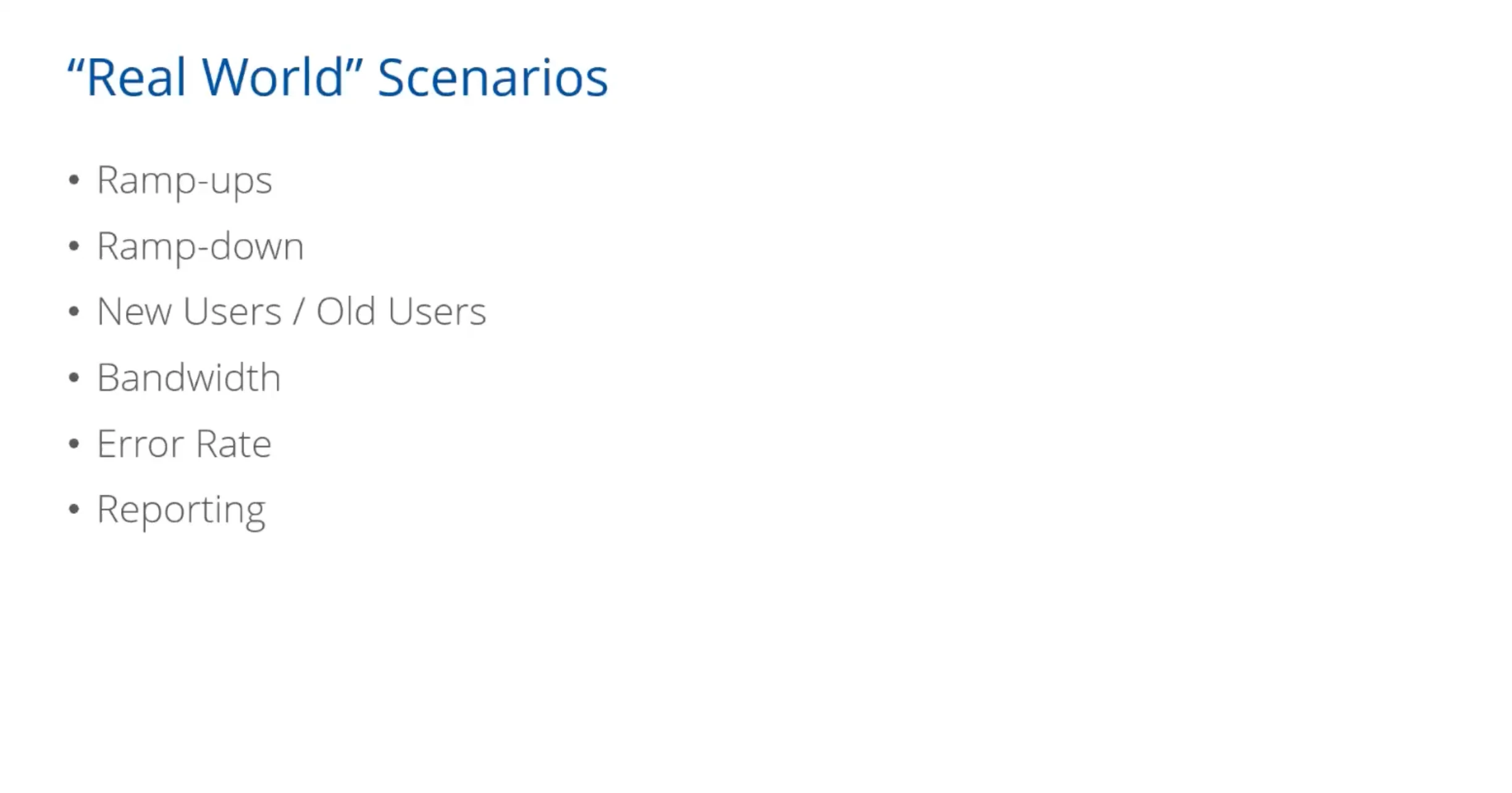
In real usage, people pause between interactions—reading, deciding, or navigating. Adding think time between actions simulates this delay. Pacing determines how often each user runs through a scenario, preventing unrealistic spikes. Both elements help shape a load that mimics actual user rhythms instead of robotic speed.
Transaction Randomization and Dynamic Logic
Users don’t all behave the same way. Some browse longer, some abandon carts, some retry failed actions. Incorporating random actions and logic branches (like “if-else” conditions) ensures variability in the test flow. This models the unpredictable nature of user behavior and makes the test more robust.
Rendezvous Points
Certain events—like a ticket sale opening or daily report generation—cause multiple users to perform the same action at the same time. Rendezvous points simulate these high-concurrency spikes, testing the system’s response to synchronized load.
Validations
It’s not enough to check whether a request completes. Scripts should include validations to confirm correct responses (e.g., expected content, status codes). This ensures that the system is returning the right data under load—not just any data.
Ramp-Up and Ramp-Down
Performance tests should not start at peak load. Gradually ramping up users helps identify when degradation begins. Likewise, ramping down mimics real traffic decay and reveals how systems recover. Sudden spikes are unrealistic unless that reflects real usage (like flash sales).
New vs. Returning Users
Different user types place different loads on the system. New users might hit login flows, setup processes, or tutorials. Returning users might go directly to transactions or dashboards. Simulating both ensures that the system handles varying states of user interaction.
Bandwidth Simulation
Users access systems over a range of network conditions—from fiber broadband to mobile data. Testing under different bandwidth limitations replicates real-world access scenarios, revealing how performance varies for users in low-speed environments.
Error Rate Monitoring
No system is perfect under pressure. Capturing the error rate during testing helps identify critical thresholds—when and why errors start to spike. Tracking failed transactions, timeouts, or incorrect responses is essential for diagnosing weaknesses.
Reporting
Once scenarios are executed, results must be analyzed and reported clearly. Good reporting includes metrics like average and percentile response times, throughput, error rates, and resource usage (CPU, memory, etc.). It should highlight trends, thresholds breached, and areas needing improvement—ideally tailored for both technical and business stakeholders.
Ensuring the Right Skills Within the Team
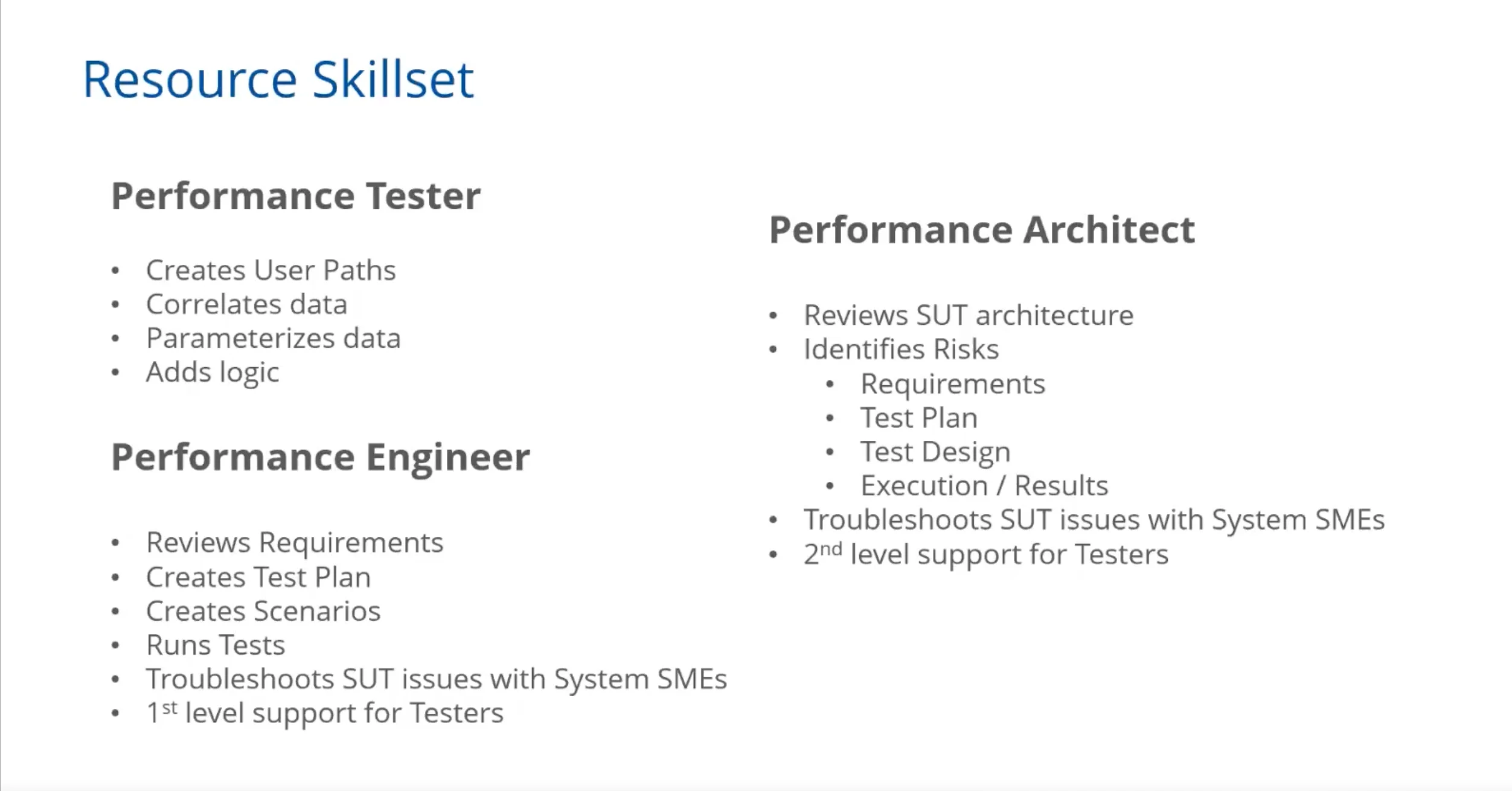
Many performance testing efforts struggle because teams lack the necessary skills. Performance testing is not just about knowing how to operate a tool—it requires understanding how systems work, how to analyze behavior under stress, and how to troubleshoot complex issues.
Teams must be equipped with both technical expertise and analytical thinking. In situations where skills are lacking, investing in training or bringing in external support can make a significant difference. Ultimately, the success of performance testing depends as much on people as on processes or tools.
Avoiding Common Pitfalls
Several recurring mistakes tend to hinder performance testing efforts. These include unrealistic planning, poor scenario design, inadequate result analysis, and insufficient team capabilities. These missteps often lead to missed issues or incorrect conclusions about system readiness. Recognizing and addressing these pitfalls early can prevent costly failures later.
Leveraging Tools Like NeoLoad
Tools like NeoLoad can enhance performance testing by simplifying test creation, execution, and analysis. With features for simulating virtual users, monitoring system behavior, and generating detailed reports, such tools help teams maintain best practices at scale. NeoLoad, for example, allows testers to visually build scenarios, incorporate parameterization, and analyze test outcomes with precision—all of which contribute to more efficient and effective testing cycles.
Try Tricentis NeoLoad today with a free demo to experience how it can streamline your performance testing process.
Conclusion
Performance testing is a discipline that demands realism, structure, and expertise. By focusing on real-world traffic simulation, thoughtful planning, accurate scenario creation, skilled analysis, and competent teams, organizations can ensure that their applications are robust and ready for production. With the right approach and tools, performance testing can become a powerful safeguard against downtime and degraded user experience.
This article was informed by the Tricentis Expert Session. To explore the topic further, watch “Performance Testing Best Practices using Tricentis NeoLoad” on-demand for an expert-led discussion on this topic.

