
What other types of performance testing can you name that are not automated load testing?

  • August 13, 2025
  • 21 replies
  • 319 views

srperf

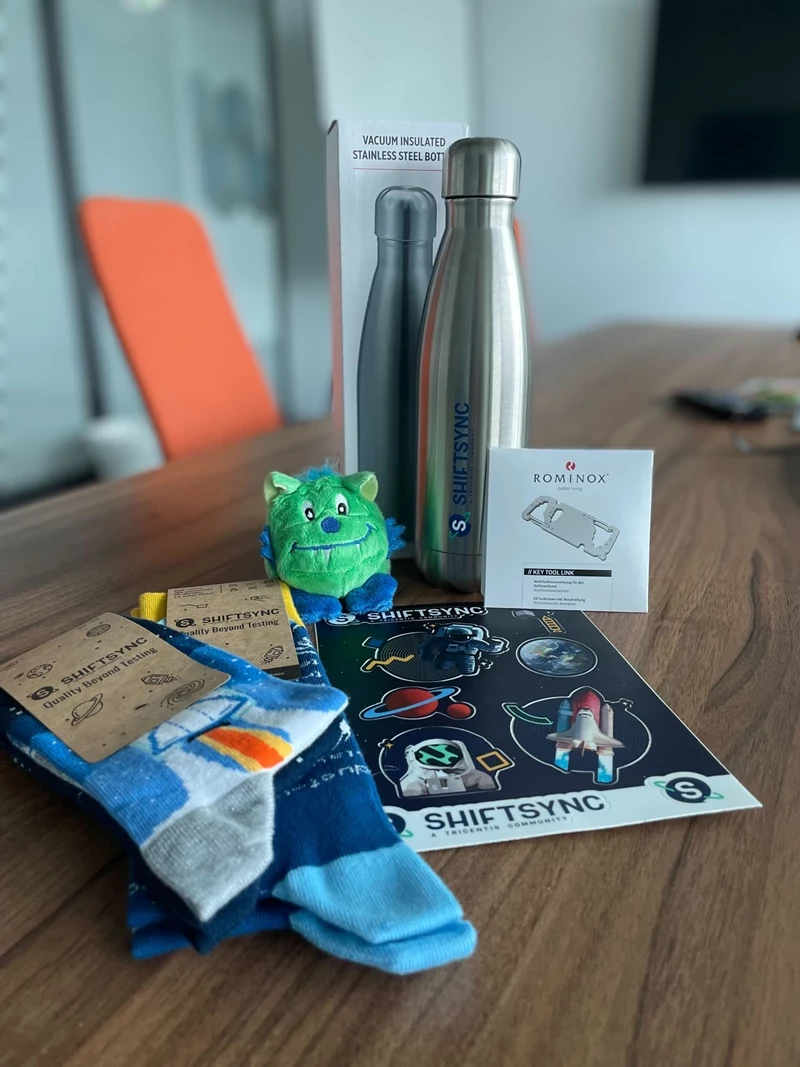
Answer Leandro’s Question for a chance to win a ShiftSync Giftbox


21 replies

  • Space Cadet
  • August 13, 2025

Endurance, Stress, Spike, 2 tier component testing e.g. database, Redis, Solr, NBus endpoints etc.


Best Case test, Load test, Stress test, Volume test, Endurance test, Spike Test


  • Ensign
  • August 13, 2025

Volume Testing, Concurrency Testing,, Scalibility Testing


  • Space Cadet
  • August 13, 2025

Stress Testing, Soak / Endurance Testing, Spike Testing, Scalability Testing, Volume Testing, Latency Testing, Capacity Testing, Baseline / Benchmark Testing, Configuration Testing, Manual Exploratory Performance Observation


Manual performance test -- manually uploads large files and notes system lag, CPU usage, or slow database queries. concurrent hits of some payload manually by multiple users causing the failure or spiking or behave weird. 


Soak / Endurance Testing (Manual Monitoring Approach)
Spike Testing
Configuration & Scalability Testing
Failover & Resilience Testing
Real-User Performance Monitoring (RUM)
Performance Profiling
Capacity Testing
UI Profiling


  • Space Cadet
  • August 13, 2025

Stress Testing,Spike Testing,Endurance Testing  and Scalability/Capacity Testing, peak testing etc


  • Space Cadet
  • August 13, 2025

Load test not performa test..


  • Space Cadet
  • August 13, 2025

Endurance or Soak, Stress, Web Performance, Observability, Backend, Mobile, Prod Performance, Synthetic. 


  • Ensign
  • August 13, 2025
  • Soak (prolonged time periods under steady load)
  • Concurrency (multiple, and increasing, simultaneous API calls or users through UI)
  • Stress (high load to observe behavior are high loads)
  • Capacity (evaluate / determine limits - similar but different than stress)
  • Failure testing (fail / recover / switchover under load)
  • Benchmark evaluation (comparison of build / versions or competitors)
  • Spike (rapid drop-off or increase in load - square wave, sawtooth, spikes)

  • Ensign
  • August 13, 2025

out of the head

FE reactions, performance (parallel requests, etc...)

  • also duplicates/not necessary requests which puts extra load/delays

3rd Party Integrations (just server/application side substitution)


Definitely AI is winning the show here. What not it does 😂


  • Space Cadet
  • August 13, 2025

Beyond automated load testing, performance testing can take many creative and targeted forms. For instance, Real-World Scenario Testing involves simulating actual user journeys under varying network conditions. Configuration Sensitivity Testing evaluates how different infrastructure setups impact performance. There's also Failover Performance Testing, which checks how the system behaves during partial outages or when switching to backups. Finally, UX-Centric Performance Reviews combine user feedback with response time data to assess perceived performance — a blend of technical metrics and human experience.


  • Apprentice
  • August 13, 2025

Stress Testing, Spike Testing, Endurance Testing, Scalability Testing, Volume Testing, Capacity Testing, Recovery Testing, Configuration Testing, Concurrency Testing, Reliability Testing, Component Testing, Throttle Testing, Peak Testing


  • Space Cadet
  • August 13, 2025

Spike Testing, Stress Testing, endurance testing . Real world simulation testing like Network testing, scalability 


  • Space Cadet
  • August 13, 2025


1. Stress Testing


  • Pushes the system beyond its normal operational capacity until it breaks.
  • Goal: Identify the breaking point and how the system recovers.


2. Soak (Endurance) Testing


  • Runs the system under normal load for a long period of time.
  • Goal: Detect memory leaks, slow degradation, and performance issues over time.


3. Spike Testing


  • Sudden and extreme increases (or drops) in load.
  • Goal: See how the system reacts to traffic spikes (e.g., a flash sale).


4. Scalability Testing


  • Measures how well the system scales when more resources or users are added.
  • Goal: Determine if scaling up or out improves performance proportionally.


5. Volume Testing


  • Tests the system’s ability to handle large amounts of data.
  • Goal: Check database and storage performance under big datasets.


6. Capacity Testing


  • Finds the maximum number of users or transactions the system can handle while still meeting performance goals.


7. Baseline Testing


  • Measures the performance of the system under a fixed, known set of conditions.
  • Goal: Create benchmarks to compare future test runs.


8. Failover / Recovery Performance Testing


  • Measures system performance during and after a failover event.


9. Configuration Testing (Performance)


  • Measures how changes in configuration (hardware, network, OS settings) impact performance.


10. Real User Monitoring (RUM) & Synthetic Monitoring


  • Not purely automated load tests — these involve live traffic monitoring and controlled scripted journeys.


Forum|alt.badge.img
  • Ensign
  • August 13, 2025

Web Performance
Backend Performance Testing


  • Space Cadet
  • August 13, 2025

Stress testing, endurance testing and spike testing.


dharmendratak
Forum|alt.badge.img+1

Answer Leandro’s Question for a chance to win a ShiftSync Giftbox



Load testing is just one star in the performance galaxy — here are other bright ones that shine without being automated load tests:

Stress Testing – Push the system until it cries for mercy, so you know its true breaking point.

Spike Testing – Drop sudden traffic bombs to see if it survives the shock.

Endurance (Soak) Testing – Keep it running for hours or days to see if it gets tired or leaks memory.

Scalability Testing – Check how gracefully it grows when you add more users or resources.

Volume Testing – Flood it with data, not just users, to test database and storage endurance.

Configuration Testing – See how performance changes when you tweak the system setup.

Failover & Recovery Testing – Measure how quickly it bounces back after a crash.

Capacity Testing – Find the sweet spot before performance drops.

Because in performance testing, not every hero carries the word 'load' in their name.


Bharat2609
Forum|alt.badge.img+3
  • Ensign
  • August 14, 2025

1. Stress Testing: 

I’ve seen systems crash hard during peak traffic—once, a client’s e-commerce site went down for 2 hours during Black Friday because they didn’t stress-test beyond 150% load. Stress testing is about pushing until it breaks, then figuring out why. Did the server run out of threads? Did the database lock up? Fixing those breaks prevents real-world meltdowns.

2. Endurance Testing

Memory leaks are sneaky bastards—they don’t show up in 10-minute load tests. I worked on an app where a leak slowly ate up RAM over 48 hours, causing random crashes. Endurance testing (soaking) finds those “slow burns”—the ones that kill you overnight.

3. Spike Testing

Remember that viral tweet that sent 100k users to a site in 5 minutes? Spike testing simulates that chaos. One client didn’t test spikes, and their checkout page timed out—lost $50k in sales. Spike tests check if your queuing, auto-scaling, and caching can handle sudden surges.

4. Volume Testing

Databases love to hide pain. I tested a CRM once where loading 1M contacts made searches take 30 seconds (instead of 2). Volume testing forces you to confront data size—whether it’s records, logs, or files. No one wants a system that chokes on its own data.

5. Scalability Testing

Scaling isn’t magic. I’ve seen teams add 10 servers and still have slower performance because their architecture wasn’t designed for horizontal scaling. Scalability testing answers: Does adding resources actually help? If not, you’re wasting money.

6. Configuration Testing

Once, a client’s app was slow because they used the default Apache config—tweaking a few settings cut response times by 40%. Configuration testing is about optimizing what you already have—server settings, JVM params, DB indexes. It’s low-hanging fruit that many teams miss.

7. Concurrency Testing

Race conditions and deadlocks are nightmares. I found a bug where two users editing the same product description corrupted data—cost the client $20k in refunds. Concurrency testing simulates real users fighting over resources. If your system can’t handle 100 people buying the last concert ticket at once, you’re asking for trouble.

8. Failover & Recovery Testing

High availability means nothing if failover doesn’t work. I tested a system where the backup database took 10 minutes to switch over—during that time, users got error messages. Failover testing ensures your redundancy actually works when things go south. And recovery testing? That’s making sure you can bounce back without losing data.

9. Capacity Planning Testing

No one wants to be caught off guard. I helped a startup predict they’d need 3x more servers in 6 months by modeling user growth. Capacity planning testing uses current data to forecast future needs—so you’re not scrambling when demand hits.

Why This Matters More Than Load Testing Alone

Load testing tells you if the system works under normal conditions. These tests tell you if it’s resilient—ready for chaos, growth, or failure. In my career, I’ve seen teams skip these and pay dearly: lost revenue, angry customers, or even brand damage


PolinaKr
Forum|alt.badge.img+5
  • Community Manager
  • August 19, 2025

Thank you everyone for participating in this challenge!  And special thank you to ​

and special thank you to ​@srperf for hosting it.


🎉We’re happy to announce the winner of this challenge: ​@seema999 

@seema999  Please keep an eye on your email, we will reach out shortly to arrange your giftbox delivery, or a Udemy course of your choice, as well as a shareable certificate.


Stay tuned to ShiftSync for more events!👀
