

parwalrahul
Navigator
March 6, 2025
Quiz

Week 1 Exercise - Exploring Gen AI for Testers

  • March 6, 2025
  • 56 replies
  • 1934 views

Introduction

Welcome to your first activity on generative AI for testers! In this activity, you’ll explore different AI tools that can support your testing and engineering tasks. 

By browsing through a curated collection of AI solutions, you’ll gain insights into how these tools can be integrated into your day-to-day work.

Benefits of Participating in This Activity

  • Discover New Tools: You’ll explore a variety of AI solutions that can be used in your day-to-day work, activities, and tasks.
  • Gain Hands-On Experience: By experimenting with different tools, you’ll learn how to integrate Gen AI into your everyday testing tasks.
  • Share and Learn: When you share your findings, you’ll also benefit from the unique discoveries and use cases presented by your peers.
  • Immediate Application: You’ll come away with actionable insights and practical strategies to enhance your work right away.

Activity Description:

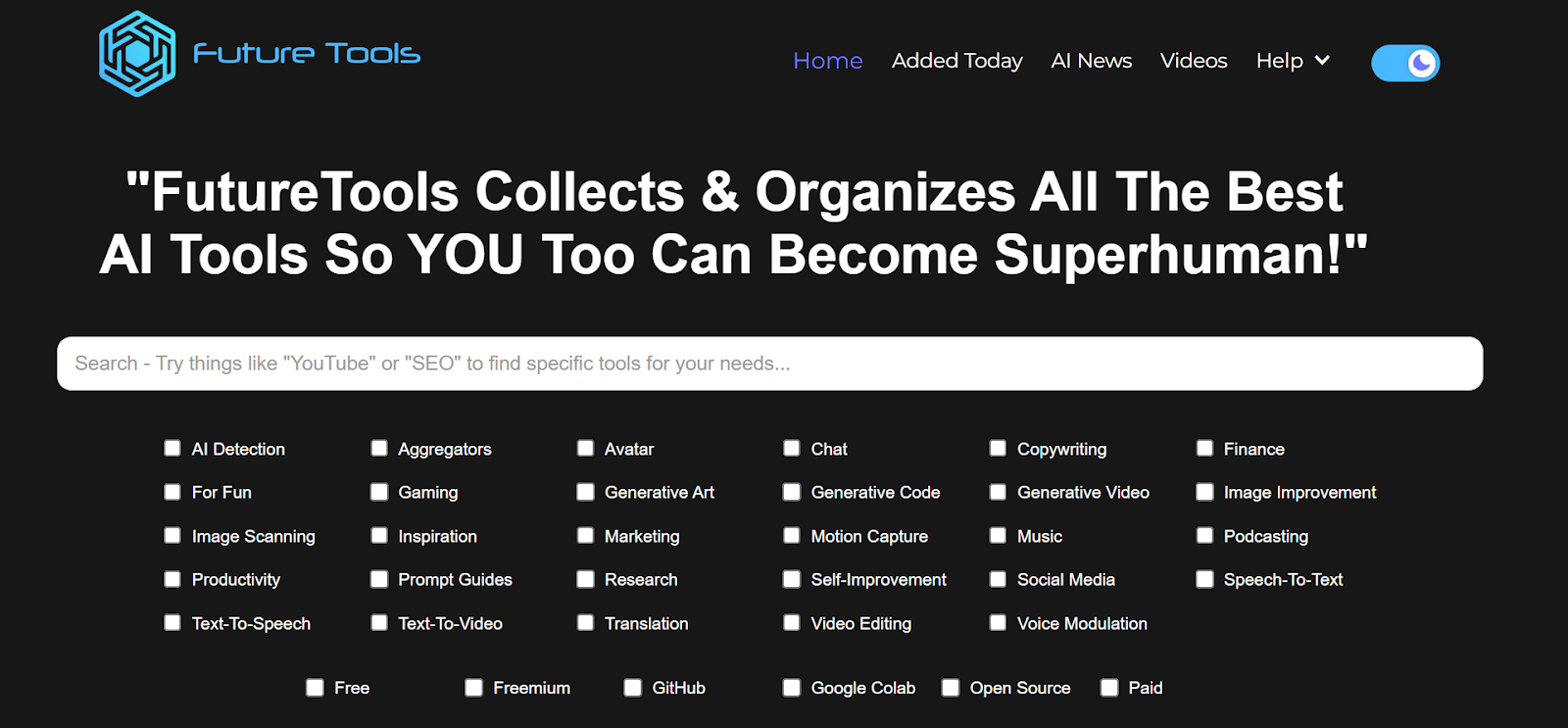
  1. Visit the Future Tools website:
    Go to https://www.futuretools.io/ and explore the catalog of AI tools.
AD_4nXeMMyk0RzIiD-CJfrOXoJlebC3NMtr2AQWGwN53SN4aTnFkMda7ZteLf0uX0WSAffyo54frmhDytUQ8GxVJ3SiTXKpfE-z3p6cDooDODKIt7VMsBzs2zdFZlMDbghvSRDoSrFR6?key=-UrBosk91MUix1zjtlFYz6yt

  1. Filter for specific criteria:
    Use the filters to narrow down tools that fit your interest or testing needs:
    • Tool categories (e.g., “AI Detection,” “Productivity,” “Generative Code”, etc.)
    • Usage preference (e.g., “Free,” “Freemium,” “GitHub”, etc.).
  2. Select a Minimum of Three Tools:
    • Choose any three tools that stand out to you based on your role as a tester or engineer.
    • Make sure to select unique tools you find potentially valuable for testing or day-to-day work tasks.
  3. Evaluate and Document:
    For each chosen tool, briefly document:
    • Name of the tool
    • Key features or capabilities that might benefit testing or engineering
    • Example use case of how you would apply this tool in your daily work (e.g., test data generation, automated test code generation, learning, etc.)
  4. Share Your Findings:
    • In response to this post, post your list of three tools along with short explanations of how each can be used.
    • Take a moment to read or listen to other participants’ selections and see if any tools could also benefit your workflow.

56 replies

Ensign
March 6, 2025

I selected ‘For fun’ in ‘Free’ tools and found the following to be interesting:

  1. AI Named my Pet - Since I love pets and dogs, I selected this to get names and I find this tool to be versatile; I can also select the preferred origin of name (like spanish or scandenavian). However, It could be more specific in terms of gender, region, etc.
  2. GPTRiddle - I started with this, but then couldn’t figure out what to do next. It was the biggest riddle :D
  3. Where to - this was not helpful at all, it asked me to subscribe, even though I had selected free tools in the initial selection.
parwalrahul
Navigator
March 6, 2025

I selected ‘For fun’ in ‘Free’ tools and found the following to be interesting:

  1. AI Named my Pet - Since I love pets and dogs, I selected this to get names and I find this tool to be versatile; I can also select the preferred origin of name (like spanish or scandenavian). However, It could be more specific in terms of gender, region, etc.
  2. GPTRiddle - I started with this, but then couldn’t figure out what to do next. It was the biggest riddle :D
  3. Where to - this was not helpful at all, it asked me to subscribe, even though I had selected free tools in the initial selection.

Interesting observations. So 2/3 were not helpful at all.

Would you like to cover some other tools?


Hint: Explore for tools that can help you with some aspect of your day-to-day work?

https://testingtitbits.com/
Ensign
March 7, 2025
  1.  Pollinations.ai – A creative AI for generating images, videos, and music from prompts.I It can help in adding more text specific pictures, videos and also music  which can be used in ppts and documents to me as a student.
  2. Nous Hermes 3 – A powerful AI model for reasoning, automation, and high-quality text generation. It can be useful as it will me in improvising my reports and texts.
  3.  Riffusion  Fuzz– An AI tool that creates music and sound effects from text descriptions. The most difficult task in presentation is that we can’t find suitable music for background, it can help. It can help with creating study materials more engaging and interesting. 
Ensign
March 7, 2025

I selected ‘For fun’ in ‘Free’ tools and found the following to be interesting:

  1. AI Named my Pet - Since I love pets and dogs, I selected this to get names and I find this tool to be versatile; I can also select the preferred origin of name (like spanish or scandenavian). However, It could be more specific in terms of gender, region, etc.
  2. GPTRiddle - I started with this, but then couldn’t figure out what to do next. It was the biggest riddle :D
  3. Where to - this was not helpful at all, it asked me to subscribe, even though I had selected free tools in the initial selection.

Interesting observations. So 2/3 were not helpful at all.

Would you like to cover some other tools?


Hint: Explore for tools that can help you with some aspect of your day-to-day work?

Oh yes, I have been trying out other tools as well. For the fun stuff, I do recommend “textbehindimage.site” as it allows me to add personalised text to my images and I am now creating a lot of funny memes :D; but yes, I am trying out a lot of these tools and they can quickly get addictive.

Ensign
March 7, 2025

I selected ‘For fun’ in ‘Free’ tools and found the following to be interesting:

  1. AI Named my Pet - Since I love pets and dogs, I selected this to get names and I find this tool to be versatile; I can also select the preferred origin of name (like spanish or scandenavian). However, It could be more specific in terms of gender, region, etc.
  2. GPTRiddle - I started with this, but then couldn’t figure out what to do next. It was the biggest riddle :D
  3. Where to - this was not helpful at all, it asked me to subscribe, even though I had selected free tools in the initial selection.

Interesting observations. So 2/3 were not helpful at all.

Would you like to cover some other tools?


Hint: Explore for tools that can help you with some aspect of your day-to-day work?

Oh also, I installed from “https://www.wizardshot.com/” and now I create minor help documents to help developers identify issues in workflow when I file defects. My dev is already saying that this is helping them greatly to recreate issues just by looking at the screenshots captured in the document in sequence of functionality.

I also am using https://excalidraw.com/ to create quick, simple flow diagrams when I have to show other team mates how a functionality works.

Ensign
March 7, 2025
  1.  Pollinations.ai – A creative AI for generating images, videos, and music from prompts.I It can help in adding more text specific pictures, videos and also music  which can be used in ppts and documents to me as a student.
  2. Nous Hermes 3 – A powerful AI model for reasoning, automation, and high-quality text generation. It can be useful as it will me in improvising my reports and texts.
  3.  Riffusion  Fuzz– An AI tool that creates music and sound effects from text descriptions. The most difficult task in presentation is that we can’t find suitable music for background, it can help. It can help with creating study materials more engaging and interesting. 

Elaborating further with visuals~

Pollinations.ai

Pollinations.ai is a creative AI tool that generates images, videos, and music based on prompts. It can be extremely useful for students, as it allows for the creation of custom visuals and background elements tailored to specific topics. This is especially helpful when designing presentations, reports, or documents, making them more engaging and visually appealing.

Nous Hermes 3

Nous Hermes 3 is a powerful AI model designed for high-quality text generation, reasoning, and automation. It can be particularly beneficial for students in improving reports, refining written content, and enhancing clarity. Whether it's structuring an assignment or making an argument more persuasive, this AI helps in polishing and elevating written work effectively.

Riffusion Fuzz

One of the biggest challenges in presentations is finding the right background music or sound effects to match the content. Riffusion Fuzz solves this problem by generating music and sound effects from text descriptions. This can be an excellent tool for creating immersive and engaging study materials, making learning more interactive and impactful.

Post: https://www.linkedin.com/feed/update/urn:li:activity:7303451738852708354/


Frank Kokoska
Ensign
March 7, 2025

test case generation
A notable Generative AI tool for **test case generation** is KaneAI by LambdaTest.  
This tool leverages natural language processing to help testers generate, automate, and manage test cases effortlessly using conversational inputs.  

Key Features and Capabilities of KaneAI

  • Effortless Test Creation: 

  Enables testers to create and refine tests using natural language, simplifying the test development process.  

  • Intelligent Test Planning:

  Generates and automates test steps based on high-level objectives, ensuring alignment with project goals.  

  • Code Export in Multiple Languages: 

  Converts automated test cases into different programming languages, supporting test automation frameworks like Selenium and Playwright.  

  • Bi-directional Test Editing

  Allows tests to be modified in either natural language or code, with changes automatically synchronized.  

  • Smart "Show-me" Mode:  

  Transforms user actions into natural language commands for easier test creation and automation.  

Example Use Case  
Imagine a company developing an e-commerce application that wants to ensure a smooth checkout process.  
With KaneAI, a tester can simply describe the test scenario in plain English, such as:  
*"Verify that a user can add an item to the cart, proceed to checkout, enter payment details, and complete the purchase successfully."*  

KaneAI then automatically generates the corresponding test script, which can be exported into different programming languages and integrated into the company's test automation framework. This significantly accelerates the testing process and reduces manual errors.  


test data generation

A notable Generative AI tool for test data generation is MOSTLY AI. This tool uses AI to create synthetic test data that closely resembles real production data but contains no sensitive information.

Key Features and Capabilities:

  • Synthetic Test Data Generation 

  MOSTLY AI generates realistic test data that retains the statistical properties of original data without using actual personal data.

  • Compliance with Data Privacy Regulations  

  Since synthetic data does not contain real personal information, companies can comply with regulations like GDPR while testing their applications.

  • Support for Complex Data Structures  

  The tool can create complex, relational data structures with referential integrity, making it suitable for comprehensive testing.

Example Use Case:
A financial institution needs to test a new application that processes customer transaction data. Due to **privacy concerns**, real customer data cannot be used in the testing environment. 

By using MOSTLY AI, the institution can generate synthetic test data that accurately reflects real-world behavior. This allows testers to evaluate the application under realistic conditions without violating privacy regulations.

Why use MOSTLY AI?
It enhances software testing quality while ensuring customer privacy—a powerful solution for enterprises handling sensitive data. 


test documentation generation
A notable Generative AI tool for test documentation generation is aqua cloud. This tool leverages AI to optimize the software testing process and offers the following key features and capabilities:

Key Features & Capabilities

  • AI-powered requirement generation:

Allows users to generate complete sets of requirements using natural language commands, significantly speeding up the process.  


  • Rapid test case creation:

Based on defined requirements, the tool can generate comprehensive test cases within seconds, saving up to 97% of the time compared to manual test case creation.  


AI-driven test data generation

Produces relevant test data to ensure full test coverage in a fraction of the time it would take manually.  

Example Use Case
A company launching a new e-commerce platform needs to ensure its software is fully functional and bug-free.  
With aqua cloud, the testing team can define requirements via voice input, automatically generate test cases, and produce test data in seconds.  
This automation saves time, optimizes resource usage, and ensures high software quality.  

Bharat2609
Ensign
March 7, 2025

test case generation
A notable Generative AI tool for **test case generation** is KaneAI by LambdaTest.  
This tool leverages natural language processing to help testers generate, automate, and manage test cases effortlessly using conversational inputs.  

Key Features and Capabilities of KaneAI

  • Effortless Test Creation: 

  Enables testers to create and refine tests using natural language, simplifying the test development process.  

  • Intelligent Test Planning:

  Generates and automates test steps based on high-level objectives, ensuring alignment with project goals.  

  • Code Export in Multiple Languages: 

  Converts automated test cases into different programming languages, supporting test automation frameworks like Selenium and Playwright.  

  • Bi-directional Test Editing

  Allows tests to be modified in either natural language or code, with changes automatically synchronized.  

  • Smart "Show-me" Mode:  

  Transforms user actions into natural language commands for easier test creation and automation.  

Example Use Case  
Imagine a company developing an e-commerce application that wants to ensure a smooth checkout process.  
With KaneAI, a tester can simply describe the test scenario in plain English, such as:  
*"Verify that a user can add an item to the cart, proceed to checkout, enter payment details, and complete the purchase successfully."*  

KaneAI then automatically generates the corresponding test script, which can be exported into different programming languages and integrated into the company's test automation framework. This significantly accelerates the testing process and reduces manual errors.  


test data generation

A notable Generative AI tool for test data generation is MOSTLY AI. This tool uses AI to create synthetic test data that closely resembles real production data but contains no sensitive information.

Key Features and Capabilities:

  • Synthetic Test Data Generation 

  MOSTLY AI generates realistic test data that retains the statistical properties of original data without using actual personal data.

  • Compliance with Data Privacy Regulations  

  Since synthetic data does not contain real personal information, companies can comply with regulations like GDPR while testing their applications.

  • Support for Complex Data Structures  

  The tool can create complex, relational data structures with referential integrity, making it suitable for comprehensive testing.

Example Use Case:
A financial institution needs to test a new application that processes customer transaction data. Due to **privacy concerns**, real customer data cannot be used in the testing environment. 

By using MOSTLY AI, the institution can generate synthetic test data that accurately reflects real-world behavior. This allows testers to evaluate the application under realistic conditions without violating privacy regulations.

Why use MOSTLY AI?
It enhances software testing quality while ensuring customer privacy—a powerful solution for enterprises handling sensitive data. 


test documentation generation
A notable Generative AI tool for test documentation generation is aqua cloud. This tool leverages AI to optimize the software testing process and offers the following key features and capabilities:

Key Features & Capabilities

  • AI-powered requirement generation:

Allows users to generate complete sets of requirements using natural language commands, significantly speeding up the process.  


  • Rapid test case creation:

Based on defined requirements, the tool can generate comprehensive test cases within seconds, saving up to 97% of the time compared to manual test case creation.  


AI-driven test data generation

Produces relevant test data to ensure full test coverage in a fraction of the time it would take manually.  

Example Use Case
A company launching a new e-commerce platform needs to ensure its software is fully functional and bug-free.  
With aqua cloud, the testing team can define requirements via voice input, automatically generate test cases, and produce test data in seconds.  
This automation saves time, optimizes resource usage, and ensures high software quality.  

Hi ​@Frank Kokoska Could you please let me know which filter you apply for getting KANE AI.I am unable to identify it

Bharat
Frank Kokoska
Ensign
March 7, 2025

Hello Bharat,

The company firewall is blocking futuretools.io, and I don't have a personal computer. I was using ChatGPT Plus.

Best regards,
Frank

Space Cadet
March 7, 2025

1. Network AI (WonsultingAI)

Key Features:

  •     Resume optimization for Applicant Tracking Systems (ATS)
  •     AI-generated cover letters
  •     Job search tracking (Gmail integration required)
  •     AI-powered mock interviews (limited free access)
  •     Learning resources for job seekers (limited access without subscription)

Example Use Case:
You can use Network AI to tailor your resume and cover letter for each job application, ensuring they align with ATS requirements. Additionally, the AI interview feature can help you prepare for interviews with real-time feedback.


2. Jobscan

Key Features:

  •     ATS compatibility analysis for resumes
  •     Customizable resume optimization for different job descriptions
  •     ATS score calculation
  •     Limited free usage (one resume, can be updated with different job descriptions)

Example Use Case:
Before applying for a job, you can upload your resume to Jobscan, compare it against the job description, and modify it based on ATS recommendations to increase your chances of passing automated screening.


3. HubSpot Clip Creator

Key Features:

  •     Free video creation tool for businesses
  •     Allows for quick editing and customization
  •     Helps in marketing and content creation

Example Use Case:
If you need to create promotional content for your business or personal brand, you can use HubSpot Clip Creator to generate short, engaging videos for social media, job applications, or portfolio presentations.